
From Smartphones to Tablets of all brands & Laptops, iMacs or Desktop PC’s of various brands. We fix all types of problems.
If the audio jack on your Dell XPS 15 fails to detect headphones or external audio devices, it can disrupt your listening experience.
Professional repair is ad...
If the audio jack on your Dell XPS 15 fails to detect headphones or external audio devices, it can disrupt your listening experience.
Professional repair is advised to troubleshoot potential hardware faults within the audio jack or internal connections that may require specialized tools and technical knowledge to resolve.
The repair process typically involves inspecting the audio jack, testing headphone connections, checking for driver conflicts, and repairing or replacing faulty audio jack components.
If left unattended, the audio jack issues can lead to further damage to the headphone port or internal audio hardware, affecting your ability to use headphones or external audio devices.
The issue may be caused by a damaged audio jack, driver incompatibility, or internal wiring problems.
If you're experiencing Bluetooth audio issues on your iPhone X, it means the device is unable to connect to Bluetooth headphones or speakers, limiting your wireless audio experience.
Professional repair for Bluetooth audio issues on iPhone X i...
If you're experiencing Bluetooth audio issues on your iPhone X, it means the device is unable to connect to Bluetooth headphones or speakers, limiting your wireless audio experience.
Professional repair for Bluetooth audio issues on iPhone X is recommended to address potential hardware malfunctions or software conflicts that require specialized tools and expertise to resolve effectively.
The repair process typically involves checking Bluetooth settings, updating software, resetting network settings, replacing Bluetooth modules, and testing connectivity to ensure stable Bluetooth audio output.
If the Bluetooth audio problem persists, you may continue to experience connectivity issues, poor audio quality, and limited wireless audio functionality on your iPhone X.
Bluetooth audio issues on iPhone X can stem from software bugs, outdated firmware, hardware damage, or Bluetooth antenna problems affecting wireless connectivity.
Another common button-related issue on the iPad Pro 12.9-inch (5th generation) is a faulty volume button. This problem can affect the device's audio settings and make it challenging to adjust the volume.
Professional repair is recom...
Another common button-related issue on the iPad Pro 12.9-inch (5th generation) is a faulty volume button. This problem can affect the device's audio settings and make it challenging to adjust the volume.
Professional repair is recommended for this issue as it involves delicate components within the device that may require expert handling. Incorrect repair attempts can lead to further damage.
The repair process typically involves opening the device, examining the volume button mechanism, cleaning or replacing the buttons, and ensuring proper functionality.
A faulty volume button can impact the user experience by limiting the control over audio settings. Ignoring this issue may result in the inability to adjust the volume as needed.
The volume buttons are essential for adjusting the audio output of the device. They are interconnected with the device's audio system and require precise calibration for optimal performance.
One frustrating issue that iPad Pro 12.9-inch (5th generation) users may encounter is a jammed home button. The home button is crucial for navigation and device functionality, so any obstruction can be a significant inconvenience.
Professional r...
One frustrating issue that iPad Pro 12.9-inch (5th generation) users may encounter is a jammed home button. The home button is crucial for navigation and device functionality, so any obstruction can be a significant inconvenience.
Professional repair is recommended for this issue as the home button is intricately connected to the device's internal components. Attempting to fix it without expertise can lead to further damage to the button or other parts.
The repair process typically involves carefully opening the device, examining the home button mechanism, cleaning any obstructions, and replacing the button if necessary.
A jammed home button can hinder the user's ability to navigate the device effectively, impacting productivity and user experience. Ignoring this issue may lead to complete unresponsiveness of the home button.
The home button is a vital component for device navigation and accessibility. It is linked to the device's main logic board and requires precise calibration for optimal performance.
MacBook Pro 16-inch users may experience a jammed touch bar button, disrupting the functionality of this innovative feature. A jammed touch bar button can be caused by physical obstruction or internal component issues.
Professional repair is r...
MacBook Pro 16-inch users may experience a jammed touch bar button, disrupting the functionality of this innovative feature. A jammed touch bar button can be caused by physical obstruction or internal component issues.
Professional repair is recommended for a jammed touch bar button on the MacBook Pro 16-inch due to the complex nature of the touch bar mechanism. Skilled technicians can diagnose the issue accurately and perform the necessary repairs without causing further damage.
The repair process typically involves carefully disassembling the MacBook Pro, inspecting the touch bar button mechanism, clearing any obstructions, repairing or replacing faulty components, and recalibrating the touch bar for optimal functionality.
If left unaddressed, a jammed touch bar button can hinder productivity and limit access to essential functions on the MacBook Pro. It may also indicate underlying issues with the device's touch bar system.
The touch bar button on the MacBook Pro 16-inch is a touch-sensitive control interface that enhances user interaction. It is integrated with the device's logic board and requires precise troubleshooting during repair.
Users of the iPad Pro 12.9-inch (5th generation) may encounter a common problem with the side buttons becoming loose. The side buttons are essential for adjusting the device's settings, so any instability in their function can be inconvenient.
Users of the iPad Pro 12.9-inch (5th generation) may encounter a common problem with the side buttons becoming loose. The side buttons are essential for adjusting the device's settings, so any instability in their function can be inconvenient.
Professional repair is recommended for this issue as the side buttons are intricately linked to the device's external casing and internal components. Attempting to fix them without proper expertise can lead to further damage or misalignment.
The repair process typically involves opening the device, examining the side button mechanisms, adjusting or replacing the buttons, and ensuring proper alignment for seamless function.
Loose side buttons can disrupt the user's ability to adjust settings efficiently, affecting the overall usability of the device. Ignoring this issue may lead to complete detachment of the side buttons.
The side buttons are integral to the device's interface and user interaction. They are connected to the device's internal circuitry and require precise calibration for optimal performance.
Owners of the Samsung Galaxy S21 may encounter a loose volume button, affecting the device's audio control functionality. A loose volume button can be caused by wear and tear, physical damage, or improper handling.
Professional r...
Owners of the Samsung Galaxy S21 may encounter a loose volume button, affecting the device's audio control functionality. A loose volume button can be caused by wear and tear, physical damage, or improper handling.
Professional repair is recommended for a loose volume button on the Samsung Galaxy S21 to ensure the precise reattachment of the button and internal components. DIY attempts may result in further damage to the device's delicate components.
The repair process typically involves disassembling the Samsung Galaxy S21, inspecting the volume button mechanism, reattaching or replacing any damaged components, and testing the functionality of the button post-repair.
If the issue is not addressed promptly, a loose volume button can lead to difficulties in adjusting the device's audio levels, impacting the user's multimedia experience. It may also indicate potential issues with the device's internal structure.
The volume button on the Samsung Galaxy S21 is an essential component for controlling audio output. It is connected to the device's internal circuitry and requires precise alignment for proper functionality.
If your iPad Pro 12.9-inch (5th generation) microphone is not working, it means you're unable to record audio, make voice calls, or use voice commands, significantly limiting the device's functionality.
Professional repair is recommended for the ...
If your iPad Pro 12.9-inch (5th generation) microphone is not working, it means you're unable to record audio, make voice calls, or use voice commands, significantly limiting the device's functionality.
Professional repair is recommended for the microphone issue on iPad Pro 12.9-inch to ensure that the delicate microphone components are handled with care and precision, as improper repairs can cause further damage.
The repair process typically involves testing the microphone, checking for software issues, repairing or replacing the microphone module, and calibrating the microphone settings to restore full functionality.
If the microphone problem is not addressed, you may experience continued audio recording failures, disrupted voice calls, and hindered voice assistant capabilities on your iPad Pro.
The microphone malfunction on iPad Pro 12.9-inch can be caused by software bugs, physical damage to the microphone, or faulty connections affecting sound input.
If you're facing a 'no sound' issue on your Google Pixel 6, it means the device is not producing any audio output through the speakers or headphones, significantly impacting your multimedia experience.
Professional repair for the 'no sound' issue on Google Pixel ...
If you're facing a 'no sound' issue on your Google Pixel 6, it means the device is not producing any audio output through the speakers or headphones, significantly impacting your multimedia experience.
Professional repair for the 'no sound' issue on Google Pixel 6 is recommended to address potential hardware failures, such as damaged audio components or faulty connections, which may require specialized tools and expertise to fix.
The repair process typically involves diagnosing the audio hardware, checking for software conflicts, repairing or replacing audio components, and testing the sound output to ensure the issue is resolved.
If left unresolved, the 'no sound' issue can lead to a complete audio system failure on your Google Pixel 6, rendering the device unable to produce any sound.
The 'no sound' problem on Google Pixel 6 can be caused by software glitches, audio driver issues, hardware damage, or faulty connections affecting audio output.
If your Dell XPS 15 is not producing any sound from the speakers, it could be due to various software or hardware issues.
Professional repair is recommended to diagnose whether the issue stems from faulty speakers, au...
If your Dell XPS 15 is not producing any sound from the speakers, it could be due to various software or hardware issues.
Professional repair is recommended to diagnose whether the issue stems from faulty speakers, audio drivers, or internal hardware components that require expertise to identify and fix.
The repair process typically involves checking audio settings, updating drivers, testing speaker connections, and potentially replacing damaged speakers or internal components.
If left unresolved, the absence of sound output can impact your multimedia experience and indicate underlying hardware issues that may worsen over time.
The issue may be caused by driver conflicts, hardware malfunctions, or damaged speakers.
iPhone 11 screen LCD bleeding is a problem where there are visible patches or streaks of light leaking from the edges of the screen, affecting the display quality.
Professional repair is recommended for iPhone 11 screen LCD bleeding as it involves delicate screen comp...
iPhone 11 screen LCD bleeding is a problem where there are visible patches or streaks of light leaking from the edges of the screen, affecting the display quality.
Professional repair is recommended for iPhone 11 screen LCD bleeding as it involves delicate screen components and precise calibration to ensure a proper display without light leaks.
The repair process typically involves replacing the screen assembly, ensuring proper sealing to prevent light leakage, and calibrating the display for optimal performance.
If left untreated, LCD bleeding can worsen over time, affecting the overall display quality and potentially leading to complete screen failure.
LCD bleeding on the iPhone 11 can be caused by physical damage, poor screen assembly, or manufacturing defects in the LCD panel.
If the speaker on your iPhone 11 is not working, you won't be able to hear phone calls, alarms, or media audio, impacting your communication and entertainment on the device.
Professional repair for the speaker issue on iPhone 11 is recommended to ensure that ...
If the speaker on your iPhone 11 is not working, you won't be able to hear phone calls, alarms, or media audio, impacting your communication and entertainment on the device.
Professional repair for the speaker issue on iPhone 11 is recommended to ensure that the intricate speaker components are handled correctly, as DIY attempts can lead to further damage or void warranties.
The repair process typically involves diagnosing the speaker, checking for software issues, repairing or replacing the speaker unit, and testing the audio output to ensure the speaker functions properly.
If the speaker problem persists, you may miss important calls, alarms, or notifications, impacting your daily communication and multimedia experience on the iPhone 11.
The speaker malfunction on iPhone 11 can be caused by software glitches, physical speaker damage, or issues with the audio output circuitry.
Users of the iPhone 11 may encounter a sticky home button, which can be frustrating and impact the overall user experience. This issue can be caused by debris accumulation or internal component malfunction.
Professional repair...
Users of the iPhone 11 may encounter a sticky home button, which can be frustrating and impact the overall user experience. This issue can be caused by debris accumulation or internal component malfunction.
Professional repair is recommended for a sticky home button on the iPhone 11 because it requires precision and expertise to disassemble the device and address the underlying cause. DIY attempts may lead to further damage or void the device's warranty.
The repair process typically involves opening the iPhone 11, cleaning the home button mechanism, replacing damaged components if necessary, and reassembling the device. Calibration may be needed to ensure the home button functions correctly.
If not addressed, a sticky home button can worsen over time, leading to complete unresponsiveness. It may also affect the device's usability and navigation efficiency.
The home button on the iPhone 11 is a vital component that incorporates a tactile mechanism for user interaction. It is linked to the device's logic board and requires careful handling during repair.
Another common button-related issue on the iPad Pro 12.9-inch (5th generation) is a sticky lock button. The lock button, also known as the sleep/wake button, is crucial for locking and unlocking the device, so any malfunction can be problematic.
Another common button-related issue on the iPad Pro 12.9-inch (5th generation) is a sticky lock button. The lock button, also known as the sleep/wake button, is crucial for locking and unlocking the device, so any malfunction can be problematic.
Professional repair is recommended for this issue as the lock button is intricately linked to the device's power functions. Improper repair attempts can lead to further complications in the device's operation.
The repair process typically involves disassembling the device, inspecting the lock button mechanism, cleaning or replacing the button, and testing its functionality.
A sticky lock button can disrupt the user's ability to lock or wake the device efficiently, impacting security and convenience. Ignoring this issue may lead to complete failure of the lock button.
The lock button plays a vital role in the device's security and power management. It is integrated with the device's power circuitry and requires precise handling during repair.
One common issue with the iPad Pro 12.9-inch (5th generation) is an unresponsive power button. This can be frustrating as it hinders the ability to turn the device on or off.
Professional repair is recommended for this issue as it may i...
One common issue with the iPad Pro 12.9-inch (5th generation) is an unresponsive power button. This can be frustrating as it hinders the ability to turn the device on or off.
Professional repair is recommended for this issue as it may involve intricate disassembly of the device to access the internal components of the power button. Attempting to fix it without proper knowledge can lead to further damage.
The repair process typically involves opening the device, inspecting the power button mechanism, cleaning any debris or dirt, and replacing the button if necessary.
If not addressed, an unresponsive power button can lead to inconvenience in using the device and may result in the inability to power it on or off.
The power button is a critical component responsible for controlling the device's power functions. It is connected to the device's logic board and requires precise handling during repair.
Water damage is a common issue that affects iPhone 11 devices, leading to various operational issues. The sensitive components of the iPhone 11 can malfunction when exposed to liquids, requiring immediate attention.
Professional repair for water-damaged iPh...
Water damage is a common issue that affects iPhone 11 devices, leading to various operational issues. The sensitive components of the iPhone 11 can malfunction when exposed to liquids, requiring immediate attention.
Professional repair for water-damaged iPhone 11 is crucial to prevent further damage and ensure proper cleaning and component inspection. DIY attempts may worsen the situation and void the device warranty.
The repair process typically involves disassembling the iPhone, cleaning all internal components with specialized solutions, checking for corrosion, replacing damaged parts as needed, and reassembling the device correctly.
If water damage is left untreated, it can lead to permanent hardware failure and total device loss. Corrosion can spread rapidly, affecting critical components and compromising device functionality.
Water damage affects the logic board, display, battery, and various connectors of the iPhone 11. Corrosion can disrupt electrical connections and cause short circuits, impacting overall performance.
Water damage on a MacBook Pro 16-inch can have severe consequences due to the intricate internal components. Liquid exposure can lead to short circuits, component failure, and irreversible damage if not addressed promptly.
Profession...
Water damage on a MacBook Pro 16-inch can have severe consequences due to the intricate internal components. Liquid exposure can lead to short circuits, component failure, and irreversible damage if not addressed promptly.
Professional repair for water-damaged MacBook Pro 16-inch is essential to prevent further damage and ensure thorough cleaning, component inspection, and proper drying techniques. DIY attempts may worsen the damage and void the device warranty.
The repair process typically involves disassembling the MacBook, cleaning all internal components with specialized solutions, checking for corrosion, replacing damaged parts if necessary, and reassembling the device correctly.
If water damage is left untreated, it can lead to permanent hardware failure and total device loss. Corrosion can spread rapidly, affecting critical components and compromising device functionality.
Water damage affects the logic board, keyboard, trackpad, battery, and various connectors of the MacBook Pro 16-inch. Corrosion can disrupt electrical connections and cause malfunctions in these components.
Water damage is a serious issue for iPhone X devices, as exposure to liquids can cause significant damage to the internal components. Immediate action is necessary to prevent permanent device failure.
Professional repair for water-da...
Water damage is a serious issue for iPhone X devices, as exposure to liquids can cause significant damage to the internal components. Immediate action is necessary to prevent permanent device failure.
Professional repair for water-damaged iPhone X is essential to ensure thorough cleaning, component inspection, and proper drying techniques. DIY attempts may exacerbate the damage and lead to costly repairs.
The repair process typically involves disassembling the iPhone X, cleaning all internal components with specialized solutions, checking for corrosion, replacing damaged parts if required, and meticulously reassembling the device.
If water damage is not addressed promptly, it can result in irreversible hardware damage, rendering the iPhone X inoperable. Corrosion can spread rapidly, affecting critical components and causing permanent malfunctions.
Water damage affects the logic board, display, battery, and various connectors of the iPhone X. Corrosion can lead to short circuits, component failure, and overall device instability.
Water damage can be disastrous for a PlayStation 5, affecting its performance and longevity. Liquid exposure can lead to system malfunctions, overheating, and potential hardware failures.
Professional repair for water-damaged PlayStation 5 is...
Water damage can be disastrous for a PlayStation 5, affecting its performance and longevity. Liquid exposure can lead to system malfunctions, overheating, and potential hardware failures.
Professional repair for water-damaged PlayStation 5 is crucial to prevent further damage and ensure thorough cleaning, component inspection, and proper drying techniques. DIY attempts can worsen the damage and void the warranty.
The repair process typically involves disassembling the PS5, cleaning all internal components, checking for corrosion, replacing damaged parts if necessary, and reassembling the console correctly.
If water damage is not addressed promptly, it can lead to permanent hardware failure and render the PlayStation 5 unusable. Corrosion can spread rapidly, impacting critical components and causing irreparable damage.
Water damage affects the motherboard, disc drive, cooling system, and various connectors of the PlayStation 5. Corrosion can disrupt electrical connections and lead to system instability.
If the audio jack on your Dell XPS 15 fails to detect headphones or external audio devices, it can disrupt your listening experience.
Professional repair is ad...
If the audio jack on your Dell XPS 15 fails to detect headphones or external audio devices, it can disrupt your listening experience.
Professional repair is advised to troubleshoot potential hardware faults within the audio jack or internal connections that may require specialized tools and technical knowledge to resolve.
The repair process typically involves inspecting the audio jack, testing headphone connections, checking for driver conflicts, and repairing or replacing faulty audio jack components.
If left unattended, the audio jack issues can lead to further damage to the headphone port or internal audio hardware, affecting your ability to use headphones or external audio devices.
The issue may be caused by a damaged audio jack, driver incompatibility, or internal wiring problems.
If the home button on your Xbox Series X console is not responding as it should, navigating the system and accessing menus can be frustrating. A malfunctioning home button can hinder your overall gaming experience.
...
If the home button on your Xbox Series X console is not responding as it should, navigating the system and accessing menus can be frustrating. A malfunctioning home button can hinder your overall gaming experience.
Professional repair for the Xbox Series X home button is recommended as it involves intricate disassembly of the console and precise replacement of the faulty button. DIY attempts can lead to further damage to the internal components of the console.
The repair process typically involves opening the console, accessing the home button mechanism, and replacing the faulty button with a new one. A professional technician ensures proper alignment and functionality of the new home button.
If not addressed, a malfunctioning home button can disrupt your gaming sessions on the Xbox Series X, making it challenging to navigate menus or access system features. Ignoring the issue may result in the need for a console replacement.
The Xbox Series X home button is an essential component that facilitates easy navigation and access to system functions. Issues can arise from physical wear, dirt accumulation, or internal connection problems.
If your iPad Pro 12.9-inch (5th generation) microphone is not working, it means you're unable to record audio, make voice calls, or use voice commands, significantly limiting the device's functionality.
Professional repair is recommended for the ...
If your iPad Pro 12.9-inch (5th generation) microphone is not working, it means you're unable to record audio, make voice calls, or use voice commands, significantly limiting the device's functionality.
Professional repair is recommended for the microphone issue on iPad Pro 12.9-inch to ensure that the delicate microphone components are handled with care and precision, as improper repairs can cause further damage.
The repair process typically involves testing the microphone, checking for software issues, repairing or replacing the microphone module, and calibrating the microphone settings to restore full functionality.
If the microphone problem is not addressed, you may experience continued audio recording failures, disrupted voice calls, and hindered voice assistant capabilities on your iPad Pro.
The microphone malfunction on iPad Pro 12.9-inch can be caused by software bugs, physical damage to the microphone, or faulty connections affecting sound input.
If your Dell XPS 15 is not producing any sound from the speakers, it could be due to various software or hardware issues.
Professional repair is recommended to diagnose whether the issue stems from faulty speakers, au...
If your Dell XPS 15 is not producing any sound from the speakers, it could be due to various software or hardware issues.
Professional repair is recommended to diagnose whether the issue stems from faulty speakers, audio drivers, or internal hardware components that require expertise to identify and fix.
The repair process typically involves checking audio settings, updating drivers, testing speaker connections, and potentially replacing damaged speakers or internal components.
If left unresolved, the absence of sound output can impact your multimedia experience and indicate underlying hardware issues that may worsen over time.
The issue may be caused by driver conflicts, hardware malfunctions, or damaged speakers.
If your PlayStation 5 camera is not being recognized by the console, it can prevent you from enjoying features like streaming, video calls, and certain games that rely on camera functionality. This issue could stem from software conflicts, hardware faults, or connectivity issues.
If your PlayStation 5 camera is not being recognized by the console, it can prevent you from enjoying features like streaming, video calls, and certain games that rely on camera functionality. This issue could stem from software conflicts, hardware faults, or connectivity issues.
Professional repair is recommended for PlayStation 5 camera recognition issues because they may involve intricate hardware troubleshooting and software diagnostics that require specialized knowledge and tools.
The repair process typically involves checking the camera connections, updating system software, troubleshooting software conflicts, and if needed, replacing the camera module.
If left unresolved, a PlayStation 5 camera not recognized issue may limit your gaming and streaming experience, impacting your ability to interact with others in online multiplayer games or stream content.
The PlayStation 5 camera interacts with the console through USB connections and requires proper software integration for seamless operation. Any disruptions in these areas can lead to recognition issues.
If your PlayStation 5 controller buttons are unresponsive or sticking, it can significantly impact your gaming experience. Button issues can affect gameplay and make it frustrating to enjoy your favorite games.
Professional repair for PlayStation 5 controller buttons is...
If your PlayStation 5 controller buttons are unresponsive or sticking, it can significantly impact your gaming experience. Button issues can affect gameplay and make it frustrating to enjoy your favorite games.
Professional repair for PlayStation 5 controller buttons is recommended because it involves intricate disassembly and precise button replacement. DIY attempts can lead to further damage to the controller's internal components.
The repair process typically involves opening the controller, removing the faulty buttons, and replacing them with new ones. A professional technician ensures proper alignment and functionality of the buttons.
If not addressed, button issues on your PlayStation 5 controller can worsen, leading to more buttons malfunctioning and impacting your gaming performance. Ignoring the problem may result in the need for a controller replacement.
The PlayStation 5 controller buttons consist of rubber dome switches that can wear out over time, causing buttons to become unresponsive or sticky.
If your PlayStation 5 encounters a system software error, it means there is a problem with the console's operating system, causing issues with game loading, system stability, and online connectivity.
Professional repair is recomme...
If your PlayStation 5 encounters a system software error, it means there is a problem with the console's operating system, causing issues with game loading, system stability, and online connectivity.
Professional repair is recommended as system software errors on PlayStation 5 may require firmware updates, system restores, or hardware inspections to ensure optimal performance.
The repair process typically involves software troubleshooting, updating system software, checking for corrupted data, and performing system resets if necessary.
If not addressed, system software errors can lead to game data loss, network connectivity issues, and impact the overall gaming experience.
PlayStation 5 system software errors can be caused by corrupted system files, incomplete updates, network issues, or hardware malfunctions.
Another common button-related issue on the iPad Pro 12.9-inch (5th generation) is a sticky lock button. The lock button, also known as the sleep/wake button, is crucial for locking and unlocking the device, so any malfunction can be problematic.
Another common button-related issue on the iPad Pro 12.9-inch (5th generation) is a sticky lock button. The lock button, also known as the sleep/wake button, is crucial for locking and unlocking the device, so any malfunction can be problematic.
Professional repair is recommended for this issue as the lock button is intricately linked to the device's power functions. Improper repair attempts can lead to further complications in the device's operation.
The repair process typically involves disassembling the device, inspecting the lock button mechanism, cleaning or replacing the button, and testing its functionality.
A sticky lock button can disrupt the user's ability to lock or wake the device efficiently, impacting security and convenience. Ignoring this issue may lead to complete failure of the lock button.
The lock button plays a vital role in the device's security and power management. It is integrated with the device's power circuitry and requires precise handling during repair.
Water damage is a common issue that affects iPhone 11 devices, leading to various operational issues. The sensitive components of the iPhone 11 can malfunction when exposed to liquids, requiring immediate attention.
Professional repair for water-damaged iPh...
Water damage is a common issue that affects iPhone 11 devices, leading to various operational issues. The sensitive components of the iPhone 11 can malfunction when exposed to liquids, requiring immediate attention.
Professional repair for water-damaged iPhone 11 is crucial to prevent further damage and ensure proper cleaning and component inspection. DIY attempts may worsen the situation and void the device warranty.
The repair process typically involves disassembling the iPhone, cleaning all internal components with specialized solutions, checking for corrosion, replacing damaged parts as needed, and reassembling the device correctly.
If water damage is left untreated, it can lead to permanent hardware failure and total device loss. Corrosion can spread rapidly, affecting critical components and compromising device functionality.
Water damage affects the logic board, display, battery, and various connectors of the iPhone 11. Corrosion can disrupt electrical connections and cause short circuits, impacting overall performance.
Water damage on a MacBook Pro 16-inch can have severe consequences due to the intricate internal components. Liquid exposure can lead to short circuits, component failure, and irreversible damage if not addressed promptly.
Profession...
Water damage on a MacBook Pro 16-inch can have severe consequences due to the intricate internal components. Liquid exposure can lead to short circuits, component failure, and irreversible damage if not addressed promptly.
Professional repair for water-damaged MacBook Pro 16-inch is essential to prevent further damage and ensure thorough cleaning, component inspection, and proper drying techniques. DIY attempts may worsen the damage and void the device warranty.
The repair process typically involves disassembling the MacBook, cleaning all internal components with specialized solutions, checking for corrosion, replacing damaged parts if necessary, and reassembling the device correctly.
If water damage is left untreated, it can lead to permanent hardware failure and total device loss. Corrosion can spread rapidly, affecting critical components and compromising device functionality.
Water damage affects the logic board, keyboard, trackpad, battery, and various connectors of the MacBook Pro 16-inch. Corrosion can disrupt electrical connections and cause malfunctions in these components.
Water damage is a serious issue for iPhone X devices, as exposure to liquids can cause significant damage to the internal components. Immediate action is necessary to prevent permanent device failure.
Professional repair for water-da...
Water damage is a serious issue for iPhone X devices, as exposure to liquids can cause significant damage to the internal components. Immediate action is necessary to prevent permanent device failure.
Professional repair for water-damaged iPhone X is essential to ensure thorough cleaning, component inspection, and proper drying techniques. DIY attempts may exacerbate the damage and lead to costly repairs.
The repair process typically involves disassembling the iPhone X, cleaning all internal components with specialized solutions, checking for corrosion, replacing damaged parts if required, and meticulously reassembling the device.
If water damage is not addressed promptly, it can result in irreversible hardware damage, rendering the iPhone X inoperable. Corrosion can spread rapidly, affecting critical components and causing permanent malfunctions.
Water damage affects the logic board, display, battery, and various connectors of the iPhone X. Corrosion can lead to short circuits, component failure, and overall device instability.
Water damage can be disastrous for a PlayStation 5, affecting its performance and longevity. Liquid exposure can lead to system malfunctions, overheating, and potential hardware failures.
Professional repair for water-damaged PlayStation 5 is...
Water damage can be disastrous for a PlayStation 5, affecting its performance and longevity. Liquid exposure can lead to system malfunctions, overheating, and potential hardware failures.
Professional repair for water-damaged PlayStation 5 is crucial to prevent further damage and ensure thorough cleaning, component inspection, and proper drying techniques. DIY attempts can worsen the damage and void the warranty.
The repair process typically involves disassembling the PS5, cleaning all internal components, checking for corrosion, replacing damaged parts if necessary, and reassembling the console correctly.
If water damage is not addressed promptly, it can lead to permanent hardware failure and render the PlayStation 5 unusable. Corrosion can spread rapidly, impacting critical components and causing irreparable damage.
Water damage affects the motherboard, disc drive, cooling system, and various connectors of the PlayStation 5. Corrosion can disrupt electrical connections and lead to system instability.
If the audio jack on your Dell XPS 15 fails to detect headphones or external audio devices, it can disrupt your listening experience.
Professional repair is ad...
If the audio jack on your Dell XPS 15 fails to detect headphones or external audio devices, it can disrupt your listening experience.
Professional repair is advised to troubleshoot potential hardware faults within the audio jack or internal connections that may require specialized tools and technical knowledge to resolve.
The repair process typically involves inspecting the audio jack, testing headphone connections, checking for driver conflicts, and repairing or replacing faulty audio jack components.
If left unattended, the audio jack issues can lead to further damage to the headphone port or internal audio hardware, affecting your ability to use headphones or external audio devices.
The issue may be caused by a damaged audio jack, driver incompatibility, or internal wiring problems.
If the home button on your Xbox Series X console is not responding as it should, navigating the system and accessing menus can be frustrating. A malfunctioning home button can hinder your overall gaming experience.
...
If the home button on your Xbox Series X console is not responding as it should, navigating the system and accessing menus can be frustrating. A malfunctioning home button can hinder your overall gaming experience.
Professional repair for the Xbox Series X home button is recommended as it involves intricate disassembly of the console and precise replacement of the faulty button. DIY attempts can lead to further damage to the internal components of the console.
The repair process typically involves opening the console, accessing the home button mechanism, and replacing the faulty button with a new one. A professional technician ensures proper alignment and functionality of the new home button.
If not addressed, a malfunctioning home button can disrupt your gaming sessions on the Xbox Series X, making it challenging to navigate menus or access system features. Ignoring the issue may result in the need for a console replacement.
The Xbox Series X home button is an essential component that facilitates easy navigation and access to system functions. Issues can arise from physical wear, dirt accumulation, or internal connection problems.
If your iPad Pro 12.9-inch (5th generation) microphone is not working, it means you're unable to record audio, make voice calls, or use voice commands, significantly limiting the device's functionality.
Professional repair is recommended for the ...
If your iPad Pro 12.9-inch (5th generation) microphone is not working, it means you're unable to record audio, make voice calls, or use voice commands, significantly limiting the device's functionality.
Professional repair is recommended for the microphone issue on iPad Pro 12.9-inch to ensure that the delicate microphone components are handled with care and precision, as improper repairs can cause further damage.
The repair process typically involves testing the microphone, checking for software issues, repairing or replacing the microphone module, and calibrating the microphone settings to restore full functionality.
If the microphone problem is not addressed, you may experience continued audio recording failures, disrupted voice calls, and hindered voice assistant capabilities on your iPad Pro.
The microphone malfunction on iPad Pro 12.9-inch can be caused by software bugs, physical damage to the microphone, or faulty connections affecting sound input.
If your Dell XPS 15 is not producing any sound from the speakers, it could be due to various software or hardware issues.
Professional repair is recommended to diagnose whether the issue stems from faulty speakers, au...
If your Dell XPS 15 is not producing any sound from the speakers, it could be due to various software or hardware issues.
Professional repair is recommended to diagnose whether the issue stems from faulty speakers, audio drivers, or internal hardware components that require expertise to identify and fix.
The repair process typically involves checking audio settings, updating drivers, testing speaker connections, and potentially replacing damaged speakers or internal components.
If left unresolved, the absence of sound output can impact your multimedia experience and indicate underlying hardware issues that may worsen over time.
The issue may be caused by driver conflicts, hardware malfunctions, or damaged speakers.
If your PlayStation 5 controller buttons are unresponsive or sticking, it can significantly impact your gaming experience. Button issues can affect gameplay and make it frustrating to enjoy your favorite games.
Professional repair for PlayStation 5 controller buttons is...
If your PlayStation 5 controller buttons are unresponsive or sticking, it can significantly impact your gaming experience. Button issues can affect gameplay and make it frustrating to enjoy your favorite games.
Professional repair for PlayStation 5 controller buttons is recommended because it involves intricate disassembly and precise button replacement. DIY attempts can lead to further damage to the controller's internal components.
The repair process typically involves opening the controller, removing the faulty buttons, and replacing them with new ones. A professional technician ensures proper alignment and functionality of the buttons.
If not addressed, button issues on your PlayStation 5 controller can worsen, leading to more buttons malfunctioning and impacting your gaming performance. Ignoring the problem may result in the need for a controller replacement.
The PlayStation 5 controller buttons consist of rubber dome switches that can wear out over time, causing buttons to become unresponsive or sticky.
If your PlayStation 5 encounters a system software error, it means there is a problem with the console's operating system, causing issues with game loading, system stability, and online connectivity.
Professional repair is recomme...
If your PlayStation 5 encounters a system software error, it means there is a problem with the console's operating system, causing issues with game loading, system stability, and online connectivity.
Professional repair is recommended as system software errors on PlayStation 5 may require firmware updates, system restores, or hardware inspections to ensure optimal performance.
The repair process typically involves software troubleshooting, updating system software, checking for corrupted data, and performing system resets if necessary.
If not addressed, system software errors can lead to game data loss, network connectivity issues, and impact the overall gaming experience.
PlayStation 5 system software errors can be caused by corrupted system files, incomplete updates, network issues, or hardware malfunctions.
Another common button-related issue on the iPad Pro 12.9-inch (5th generation) is a sticky lock button. The lock button, also known as the sleep/wake button, is crucial for locking and unlocking the device, so any malfunction can be problematic.
Another common button-related issue on the iPad Pro 12.9-inch (5th generation) is a sticky lock button. The lock button, also known as the sleep/wake button, is crucial for locking and unlocking the device, so any malfunction can be problematic.
Professional repair is recommended for this issue as the lock button is intricately linked to the device's power functions. Improper repair attempts can lead to further complications in the device's operation.
The repair process typically involves disassembling the device, inspecting the lock button mechanism, cleaning or replacing the button, and testing its functionality.
A sticky lock button can disrupt the user's ability to lock or wake the device efficiently, impacting security and convenience. Ignoring this issue may lead to complete failure of the lock button.
The lock button plays a vital role in the device's security and power management. It is integrated with the device's power circuitry and requires precise handling during repair.
Water damage on a MacBook Pro 16-inch can have severe consequences due to the intricate internal components. Liquid exposure can lead to short circuits, component failure, and irreversible damage if not addressed promptly.
Profession...
Water damage on a MacBook Pro 16-inch can have severe consequences due to the intricate internal components. Liquid exposure can lead to short circuits, component failure, and irreversible damage if not addressed promptly.
Professional repair for water-damaged MacBook Pro 16-inch is essential to prevent further damage and ensure thorough cleaning, component inspection, and proper drying techniques. DIY attempts may worsen the damage and void the device warranty.
The repair process typically involves disassembling the MacBook, cleaning all internal components with specialized solutions, checking for corrosion, replacing damaged parts if necessary, and reassembling the device correctly.
If water damage is left untreated, it can lead to permanent hardware failure and total device loss. Corrosion can spread rapidly, affecting critical components and compromising device functionality.
Water damage affects the logic board, keyboard, trackpad, battery, and various connectors of the MacBook Pro 16-inch. Corrosion can disrupt electrical connections and cause malfunctions in these components.
If the audio jack on your Dell XPS 15 fails to detect headphones or external audio devices, it can disrupt your listening experience.
Professional repair is ad...
If the audio jack on your Dell XPS 15 fails to detect headphones or external audio devices, it can disrupt your listening experience.
Professional repair is advised to troubleshoot potential hardware faults within the audio jack or internal connections that may require specialized tools and technical knowledge to resolve.
The repair process typically involves inspecting the audio jack, testing headphone connections, checking for driver conflicts, and repairing or replacing faulty audio jack components.
If left unattended, the audio jack issues can lead to further damage to the headphone port or internal audio hardware, affecting your ability to use headphones or external audio devices.
The issue may be caused by a damaged audio jack, driver incompatibility, or internal wiring problems.
If you're experiencing Bluetooth audio issues on your iPhone X, it means the device is unable to connect to Bluetooth headphones or speakers, limiting your wireless audio experience.
Professional repair for Bluetooth audio issues on iPhone X i...
If you're experiencing Bluetooth audio issues on your iPhone X, it means the device is unable to connect to Bluetooth headphones or speakers, limiting your wireless audio experience.
Professional repair for Bluetooth audio issues on iPhone X is recommended to address potential hardware malfunctions or software conflicts that require specialized tools and expertise to resolve effectively.
The repair process typically involves checking Bluetooth settings, updating software, resetting network settings, replacing Bluetooth modules, and testing connectivity to ensure stable Bluetooth audio output.
If the Bluetooth audio problem persists, you may continue to experience connectivity issues, poor audio quality, and limited wireless audio functionality on your iPhone X.
Bluetooth audio issues on iPhone X can stem from software bugs, outdated firmware, hardware damage, or Bluetooth antenna problems affecting wireless connectivity.
If your iPad Pro 12.9-inch (5th generation) microphone is not working, it means you're unable to record audio, make voice calls, or use voice commands, significantly limiting the device's functionality.
Professional repair is recommended for the ...
If your iPad Pro 12.9-inch (5th generation) microphone is not working, it means you're unable to record audio, make voice calls, or use voice commands, significantly limiting the device's functionality.
Professional repair is recommended for the microphone issue on iPad Pro 12.9-inch to ensure that the delicate microphone components are handled with care and precision, as improper repairs can cause further damage.
The repair process typically involves testing the microphone, checking for software issues, repairing or replacing the microphone module, and calibrating the microphone settings to restore full functionality.
If the microphone problem is not addressed, you may experience continued audio recording failures, disrupted voice calls, and hindered voice assistant capabilities on your iPad Pro.
The microphone malfunction on iPad Pro 12.9-inch can be caused by software bugs, physical damage to the microphone, or faulty connections affecting sound input.
If you're facing a 'no sound' issue on your Google Pixel 6, it means the device is not producing any audio output through the speakers or headphones, significantly impacting your multimedia experience.
Professional repair for the 'no sound' issue on Google Pixel ...
If you're facing a 'no sound' issue on your Google Pixel 6, it means the device is not producing any audio output through the speakers or headphones, significantly impacting your multimedia experience.
Professional repair for the 'no sound' issue on Google Pixel 6 is recommended to address potential hardware failures, such as damaged audio components or faulty connections, which may require specialized tools and expertise to fix.
The repair process typically involves diagnosing the audio hardware, checking for software conflicts, repairing or replacing audio components, and testing the sound output to ensure the issue is resolved.
If left unresolved, the 'no sound' issue can lead to a complete audio system failure on your Google Pixel 6, rendering the device unable to produce any sound.
The 'no sound' problem on Google Pixel 6 can be caused by software glitches, audio driver issues, hardware damage, or faulty connections affecting audio output.
If your Dell XPS 15 is not producing any sound from the speakers, it could be due to various software or hardware issues.
Professional repair is recommended to diagnose whether the issue stems from faulty speakers, au...
If your Dell XPS 15 is not producing any sound from the speakers, it could be due to various software or hardware issues.
Professional repair is recommended to diagnose whether the issue stems from faulty speakers, audio drivers, or internal hardware components that require expertise to identify and fix.
The repair process typically involves checking audio settings, updating drivers, testing speaker connections, and potentially replacing damaged speakers or internal components.
If left unresolved, the absence of sound output can impact your multimedia experience and indicate underlying hardware issues that may worsen over time.
The issue may be caused by driver conflicts, hardware malfunctions, or damaged speakers.
If your PlayStation 5 camera is not being recognized by the console, it can prevent you from enjoying features like streaming, video calls, and certain games that rely on camera functionality. This issue could stem from software conflicts, hardware faults, or connectivity issues.
If your PlayStation 5 camera is not being recognized by the console, it can prevent you from enjoying features like streaming, video calls, and certain games that rely on camera functionality. This issue could stem from software conflicts, hardware faults, or connectivity issues.
Professional repair is recommended for PlayStation 5 camera recognition issues because they may involve intricate hardware troubleshooting and software diagnostics that require specialized knowledge and tools.
The repair process typically involves checking the camera connections, updating system software, troubleshooting software conflicts, and if needed, replacing the camera module.
If left unresolved, a PlayStation 5 camera not recognized issue may limit your gaming and streaming experience, impacting your ability to interact with others in online multiplayer games or stream content.
The PlayStation 5 camera interacts with the console through USB connections and requires proper software integration for seamless operation. Any disruptions in these areas can lead to recognition issues.
iPhone 11 screen LCD bleeding is a problem where there are visible patches or streaks of light leaking from the edges of the screen, affecting the display quality.
Professional repair is recommended for iPhone 11 screen LCD bleeding as it involves delicate screen comp...
iPhone 11 screen LCD bleeding is a problem where there are visible patches or streaks of light leaking from the edges of the screen, affecting the display quality.
Professional repair is recommended for iPhone 11 screen LCD bleeding as it involves delicate screen components and precise calibration to ensure a proper display without light leaks.
The repair process typically involves replacing the screen assembly, ensuring proper sealing to prevent light leakage, and calibrating the display for optimal performance.
If left untreated, LCD bleeding can worsen over time, affecting the overall display quality and potentially leading to complete screen failure.
LCD bleeding on the iPhone 11 can be caused by physical damage, poor screen assembly, or manufacturing defects in the LCD panel.
If the speaker on your iPhone 11 is not working, you won't be able to hear phone calls, alarms, or media audio, impacting your communication and entertainment on the device.
Professional repair for the speaker issue on iPhone 11 is recommended to ensure that ...
If the speaker on your iPhone 11 is not working, you won't be able to hear phone calls, alarms, or media audio, impacting your communication and entertainment on the device.
Professional repair for the speaker issue on iPhone 11 is recommended to ensure that the intricate speaker components are handled correctly, as DIY attempts can lead to further damage or void warranties.
The repair process typically involves diagnosing the speaker, checking for software issues, repairing or replacing the speaker unit, and testing the audio output to ensure the speaker functions properly.
If the speaker problem persists, you may miss important calls, alarms, or notifications, impacting your daily communication and multimedia experience on the iPhone 11.
The speaker malfunction on iPhone 11 can be caused by software glitches, physical speaker damage, or issues with the audio output circuitry.
Another common button-related issue on the iPad Pro 12.9-inch (5th generation) is a sticky lock button. The lock button, also known as the sleep/wake button, is crucial for locking and unlocking the device, so any malfunction can be problematic.
Another common button-related issue on the iPad Pro 12.9-inch (5th generation) is a sticky lock button. The lock button, also known as the sleep/wake button, is crucial for locking and unlocking the device, so any malfunction can be problematic.
Professional repair is recommended for this issue as the lock button is intricately linked to the device's power functions. Improper repair attempts can lead to further complications in the device's operation.
The repair process typically involves disassembling the device, inspecting the lock button mechanism, cleaning or replacing the button, and testing its functionality.
A sticky lock button can disrupt the user's ability to lock or wake the device efficiently, impacting security and convenience. Ignoring this issue may lead to complete failure of the lock button.
The lock button plays a vital role in the device's security and power management. It is integrated with the device's power circuitry and requires precise handling during repair.
Water damage is a common issue that affects iPhone 11 devices, leading to various operational issues. The sensitive components of the iPhone 11 can malfunction when exposed to liquids, requiring immediate attention.
Professional repair for water-damaged iPh...
Water damage is a common issue that affects iPhone 11 devices, leading to various operational issues. The sensitive components of the iPhone 11 can malfunction when exposed to liquids, requiring immediate attention.
Professional repair for water-damaged iPhone 11 is crucial to prevent further damage and ensure proper cleaning and component inspection. DIY attempts may worsen the situation and void the device warranty.
The repair process typically involves disassembling the iPhone, cleaning all internal components with specialized solutions, checking for corrosion, replacing damaged parts as needed, and reassembling the device correctly.
If water damage is left untreated, it can lead to permanent hardware failure and total device loss. Corrosion can spread rapidly, affecting critical components and compromising device functionality.
Water damage affects the logic board, display, battery, and various connectors of the iPhone 11. Corrosion can disrupt electrical connections and cause short circuits, impacting overall performance.
Water damage on a MacBook Pro 16-inch can have severe consequences due to the intricate internal components. Liquid exposure can lead to short circuits, component failure, and irreversible damage if not addressed promptly.
Profession...
Water damage on a MacBook Pro 16-inch can have severe consequences due to the intricate internal components. Liquid exposure can lead to short circuits, component failure, and irreversible damage if not addressed promptly.
Professional repair for water-damaged MacBook Pro 16-inch is essential to prevent further damage and ensure thorough cleaning, component inspection, and proper drying techniques. DIY attempts may worsen the damage and void the device warranty.
The repair process typically involves disassembling the MacBook, cleaning all internal components with specialized solutions, checking for corrosion, replacing damaged parts if necessary, and reassembling the device correctly.
If water damage is left untreated, it can lead to permanent hardware failure and total device loss. Corrosion can spread rapidly, affecting critical components and compromising device functionality.
Water damage affects the logic board, keyboard, trackpad, battery, and various connectors of the MacBook Pro 16-inch. Corrosion can disrupt electrical connections and cause malfunctions in these components.
Water damage is a serious issue for iPhone X devices, as exposure to liquids can cause significant damage to the internal components. Immediate action is necessary to prevent permanent device failure.
Professional repair for water-da...
Water damage is a serious issue for iPhone X devices, as exposure to liquids can cause significant damage to the internal components. Immediate action is necessary to prevent permanent device failure.
Professional repair for water-damaged iPhone X is essential to ensure thorough cleaning, component inspection, and proper drying techniques. DIY attempts may exacerbate the damage and lead to costly repairs.
The repair process typically involves disassembling the iPhone X, cleaning all internal components with specialized solutions, checking for corrosion, replacing damaged parts if required, and meticulously reassembling the device.
If water damage is not addressed promptly, it can result in irreversible hardware damage, rendering the iPhone X inoperable. Corrosion can spread rapidly, affecting critical components and causing permanent malfunctions.
Water damage affects the logic board, display, battery, and various connectors of the iPhone X. Corrosion can lead to short circuits, component failure, and overall device instability.
Water damage can be disastrous for a PlayStation 5, affecting its performance and longevity. Liquid exposure can lead to system malfunctions, overheating, and potential hardware failures.
Professional repair for water-damaged PlayStation 5 is...
Water damage can be disastrous for a PlayStation 5, affecting its performance and longevity. Liquid exposure can lead to system malfunctions, overheating, and potential hardware failures.
Professional repair for water-damaged PlayStation 5 is crucial to prevent further damage and ensure thorough cleaning, component inspection, and proper drying techniques. DIY attempts can worsen the damage and void the warranty.
The repair process typically involves disassembling the PS5, cleaning all internal components, checking for corrosion, replacing damaged parts if necessary, and reassembling the console correctly.
If water damage is not addressed promptly, it can lead to permanent hardware failure and render the PlayStation 5 unusable. Corrosion can spread rapidly, impacting critical components and causing irreparable damage.
Water damage affects the motherboard, disc drive, cooling system, and various connectors of the PlayStation 5. Corrosion can disrupt electrical connections and lead to system instability.
If the audio jack on your Dell XPS 15 fails to detect headphones or external audio devices, it can disrupt your listening experience.
Professional repair is ad...
If the audio jack on your Dell XPS 15 fails to detect headphones or external audio devices, it can disrupt your listening experience.
Professional repair is advised to troubleshoot potential hardware faults within the audio jack or internal connections that may require specialized tools and technical knowledge to resolve.
The repair process typically involves inspecting the audio jack, testing headphone connections, checking for driver conflicts, and repairing or replacing faulty audio jack components.
If left unattended, the audio jack issues can lead to further damage to the headphone port or internal audio hardware, affecting your ability to use headphones or external audio devices.
The issue may be caused by a damaged audio jack, driver incompatibility, or internal wiring problems.
If your iPad Pro 12.9-inch (5th generation) microphone is not working, it means you're unable to record audio, make voice calls, or use voice commands, significantly limiting the device's functionality.
Professional repair is recommended for the ...
If your iPad Pro 12.9-inch (5th generation) microphone is not working, it means you're unable to record audio, make voice calls, or use voice commands, significantly limiting the device's functionality.
Professional repair is recommended for the microphone issue on iPad Pro 12.9-inch to ensure that the delicate microphone components are handled with care and precision, as improper repairs can cause further damage.
The repair process typically involves testing the microphone, checking for software issues, repairing or replacing the microphone module, and calibrating the microphone settings to restore full functionality.
If the microphone problem is not addressed, you may experience continued audio recording failures, disrupted voice calls, and hindered voice assistant capabilities on your iPad Pro.
The microphone malfunction on iPad Pro 12.9-inch can be caused by software bugs, physical damage to the microphone, or faulty connections affecting sound input.
If your Dell XPS 15 is not producing any sound from the speakers, it could be due to various software or hardware issues.
Professional repair is recommended to diagnose whether the issue stems from faulty speakers, au...
If your Dell XPS 15 is not producing any sound from the speakers, it could be due to various software or hardware issues.
Professional repair is recommended to diagnose whether the issue stems from faulty speakers, audio drivers, or internal hardware components that require expertise to identify and fix.
The repair process typically involves checking audio settings, updating drivers, testing speaker connections, and potentially replacing damaged speakers or internal components.
If left unresolved, the absence of sound output can impact your multimedia experience and indicate underlying hardware issues that may worsen over time.
The issue may be caused by driver conflicts, hardware malfunctions, or damaged speakers.
Another common button-related issue on the iPad Pro 12.9-inch (5th generation) is a sticky lock button. The lock button, also known as the sleep/wake button, is crucial for locking and unlocking the device, so any malfunction can be problematic.
Another common button-related issue on the iPad Pro 12.9-inch (5th generation) is a sticky lock button. The lock button, also known as the sleep/wake button, is crucial for locking and unlocking the device, so any malfunction can be problematic.
Professional repair is recommended for this issue as the lock button is intricately linked to the device's power functions. Improper repair attempts can lead to further complications in the device's operation.
The repair process typically involves disassembling the device, inspecting the lock button mechanism, cleaning or replacing the button, and testing its functionality.
A sticky lock button can disrupt the user's ability to lock or wake the device efficiently, impacting security and convenience. Ignoring this issue may lead to complete failure of the lock button.
The lock button plays a vital role in the device's security and power management. It is integrated with the device's power circuitry and requires precise handling during repair.
Water damage on a MacBook Pro 16-inch can have severe consequences due to the intricate internal components. Liquid exposure can lead to short circuits, component failure, and irreversible damage if not addressed promptly.
Profession...
Water damage on a MacBook Pro 16-inch can have severe consequences due to the intricate internal components. Liquid exposure can lead to short circuits, component failure, and irreversible damage if not addressed promptly.
Professional repair for water-damaged MacBook Pro 16-inch is essential to prevent further damage and ensure thorough cleaning, component inspection, and proper drying techniques. DIY attempts may worsen the damage and void the device warranty.
The repair process typically involves disassembling the MacBook, cleaning all internal components with specialized solutions, checking for corrosion, replacing damaged parts if necessary, and reassembling the device correctly.
If water damage is left untreated, it can lead to permanent hardware failure and total device loss. Corrosion can spread rapidly, affecting critical components and compromising device functionality.
Water damage affects the logic board, keyboard, trackpad, battery, and various connectors of the MacBook Pro 16-inch. Corrosion can disrupt electrical connections and cause malfunctions in these components.
If the audio jack on your Dell XPS 15 fails to detect headphones or external audio devices, it can disrupt your listening experience.
Professional repair is ad...
If the audio jack on your Dell XPS 15 fails to detect headphones or external audio devices, it can disrupt your listening experience.
Professional repair is advised to troubleshoot potential hardware faults within the audio jack or internal connections that may require specialized tools and technical knowledge to resolve.
The repair process typically involves inspecting the audio jack, testing headphone connections, checking for driver conflicts, and repairing or replacing faulty audio jack components.
If left unattended, the audio jack issues can lead to further damage to the headphone port or internal audio hardware, affecting your ability to use headphones or external audio devices.
The issue may be caused by a damaged audio jack, driver incompatibility, or internal wiring problems.
If your iPad Pro 12.9-inch (5th generation) microphone is not working, it means you're unable to record audio, make voice calls, or use voice commands, significantly limiting the device's functionality.
Professional repair is recommended for the ...
If your iPad Pro 12.9-inch (5th generation) microphone is not working, it means you're unable to record audio, make voice calls, or use voice commands, significantly limiting the device's functionality.
Professional repair is recommended for the microphone issue on iPad Pro 12.9-inch to ensure that the delicate microphone components are handled with care and precision, as improper repairs can cause further damage.
The repair process typically involves testing the microphone, checking for software issues, repairing or replacing the microphone module, and calibrating the microphone settings to restore full functionality.
If the microphone problem is not addressed, you may experience continued audio recording failures, disrupted voice calls, and hindered voice assistant capabilities on your iPad Pro.
The microphone malfunction on iPad Pro 12.9-inch can be caused by software bugs, physical damage to the microphone, or faulty connections affecting sound input.
If your Dell XPS 15 is not producing any sound from the speakers, it could be due to various software or hardware issues.
Professional repair is recommended to diagnose whether the issue stems from faulty speakers, au...
If your Dell XPS 15 is not producing any sound from the speakers, it could be due to various software or hardware issues.
Professional repair is recommended to diagnose whether the issue stems from faulty speakers, audio drivers, or internal hardware components that require expertise to identify and fix.
The repair process typically involves checking audio settings, updating drivers, testing speaker connections, and potentially replacing damaged speakers or internal components.
If left unresolved, the absence of sound output can impact your multimedia experience and indicate underlying hardware issues that may worsen over time.
The issue may be caused by driver conflicts, hardware malfunctions, or damaged speakers.
Another common button-related issue on the iPad Pro 12.9-inch (5th generation) is a sticky lock button. The lock button, also known as the sleep/wake button, is crucial for locking and unlocking the device, so any malfunction can be problematic.
Another common button-related issue on the iPad Pro 12.9-inch (5th generation) is a sticky lock button. The lock button, also known as the sleep/wake button, is crucial for locking and unlocking the device, so any malfunction can be problematic.
Professional repair is recommended for this issue as the lock button is intricately linked to the device's power functions. Improper repair attempts can lead to further complications in the device's operation.
The repair process typically involves disassembling the device, inspecting the lock button mechanism, cleaning or replacing the button, and testing its functionality.
A sticky lock button can disrupt the user's ability to lock or wake the device efficiently, impacting security and convenience. Ignoring this issue may lead to complete failure of the lock button.
The lock button plays a vital role in the device's security and power management. It is integrated with the device's power circuitry and requires precise handling during repair.
Water damage on a MacBook Pro 16-inch can have severe consequences due to the intricate internal components. Liquid exposure can lead to short circuits, component failure, and irreversible damage if not addressed promptly.
Profession...
Water damage on a MacBook Pro 16-inch can have severe consequences due to the intricate internal components. Liquid exposure can lead to short circuits, component failure, and irreversible damage if not addressed promptly.
Professional repair for water-damaged MacBook Pro 16-inch is essential to prevent further damage and ensure thorough cleaning, component inspection, and proper drying techniques. DIY attempts may worsen the damage and void the device warranty.
The repair process typically involves disassembling the MacBook, cleaning all internal components with specialized solutions, checking for corrosion, replacing damaged parts if necessary, and reassembling the device correctly.
If water damage is left untreated, it can lead to permanent hardware failure and total device loss. Corrosion can spread rapidly, affecting critical components and compromising device functionality.
Water damage affects the logic board, keyboard, trackpad, battery, and various connectors of the MacBook Pro 16-inch. Corrosion can disrupt electrical connections and cause malfunctions in these components.
If you're experiencing audio distortion specifically during video calls on your Dell XPS 15, it can hinder communication and point to software or driver-related problems.
Professional repair is advised to diagnose and address potenti...
If you're experiencing audio distortion specifically during video calls on your Dell XPS 15, it can hinder communication and point to software or driver-related problems.
Professional repair is advised to diagnose and address potential software conflicts, driver issues, or hardware malfunctions that may require specialized tools and expertise.
The repair process typically involves testing audio settings, updating drivers, checking video call applications, and potentially adjusting sound configurations or replacing faulty audio components.
If not resolved, the audio distortion can persist, impacting your ability to engage in clear communication during video calls and potentially affecting other multimedia applications.
The issue may be caused by driver conflicts, audio enhancements settings, or hardware issues affecting audio input/output during video calls.
If the audio jack on your Dell XPS 15 fails to detect headphones or external audio devices, it can disrupt your listening experience.
Professional repair is ad...
If the audio jack on your Dell XPS 15 fails to detect headphones or external audio devices, it can disrupt your listening experience.
Professional repair is advised to troubleshoot potential hardware faults within the audio jack or internal connections that may require specialized tools and technical knowledge to resolve.
The repair process typically involves inspecting the audio jack, testing headphone connections, checking for driver conflicts, and repairing or replacing faulty audio jack components.
If left unattended, the audio jack issues can lead to further damage to the headphone port or internal audio hardware, affecting your ability to use headphones or external audio devices.
The issue may be caused by a damaged audio jack, driver incompatibility, or internal wiring problems.
If you're experiencing Bluetooth audio issues on your iPhone X, it means the device is unable to connect to Bluetooth headphones or speakers, limiting your wireless audio experience.
Professional repair for Bluetooth audio issues on iPhone X i...
If you're experiencing Bluetooth audio issues on your iPhone X, it means the device is unable to connect to Bluetooth headphones or speakers, limiting your wireless audio experience.
Professional repair for Bluetooth audio issues on iPhone X is recommended to address potential hardware malfunctions or software conflicts that require specialized tools and expertise to resolve effectively.
The repair process typically involves checking Bluetooth settings, updating software, resetting network settings, replacing Bluetooth modules, and testing connectivity to ensure stable Bluetooth audio output.
If the Bluetooth audio problem persists, you may continue to experience connectivity issues, poor audio quality, and limited wireless audio functionality on your iPhone X.
Bluetooth audio issues on iPhone X can stem from software bugs, outdated firmware, hardware damage, or Bluetooth antenna problems affecting wireless connectivity.
If you're hearing crackling sounds from your Dell XPS 15 speakers, the audio quality is likely compromised.
Professional repair is recommended as crackling sounds can indicate hardware issues with the speakers or audio components that...
If you're hearing crackling sounds from your Dell XPS 15 speakers, the audio quality is likely compromised.
Professional repair is recommended as crackling sounds can indicate hardware issues with the speakers or audio components that may require specialized tools and expertise to diagnose and fix.
The repair process typically involves diagnosing the cause of the crackling sound, checking speaker connections, testing audio drivers, and potentially replacing faulty speakers or audio components.
If not addressed, the crackling sound can worsen over time, leading to complete audio failure or permanent damage to the speakers.
The issue may be caused by damaged speakers, loose connections, outdated drivers, or faulty audio hardware.
If your Dell XPS 15 is producing unusually low volume levels from the speakers, it can hamper your audio experience and indicate potential hardware or software issues.
Professional repair is recommended to a...
If your Dell XPS 15 is producing unusually low volume levels from the speakers, it can hamper your audio experience and indicate potential hardware or software issues.
Professional repair is recommended to address underlying hardware faults, audio driver issues, or speaker malfunctions that may require expert diagnosis and repair.
The repair process typically involves testing audio settings, updating drivers, adjusting sound configurations, and potentially replacing damaged speakers or audio components.
If not fixed promptly, the low volume output can strain the speakers, impact audio clarity, and lead to complete audio failure over time.
The issue may be caused by driver conflicts, damaged speakers, audio enhancements settings, or faulty audio components.
If your iPad Pro 12.9-inch (5th generation) microphone is not working, it means you're unable to record audio, make voice calls, or use voice commands, significantly limiting the device's functionality.
Professional repair is recommended for the ...
If your iPad Pro 12.9-inch (5th generation) microphone is not working, it means you're unable to record audio, make voice calls, or use voice commands, significantly limiting the device's functionality.
Professional repair is recommended for the microphone issue on iPad Pro 12.9-inch to ensure that the delicate microphone components are handled with care and precision, as improper repairs can cause further damage.
The repair process typically involves testing the microphone, checking for software issues, repairing or replacing the microphone module, and calibrating the microphone settings to restore full functionality.
If the microphone problem is not addressed, you may experience continued audio recording failures, disrupted voice calls, and hindered voice assistant capabilities on your iPad Pro.
The microphone malfunction on iPad Pro 12.9-inch can be caused by software bugs, physical damage to the microphone, or faulty connections affecting sound input.
If you're facing a 'no sound' issue on your Google Pixel 6, it means the device is not producing any audio output through the speakers or headphones, significantly impacting your multimedia experience.
Professional repair for the 'no sound' issue on Google Pixel ...
If you're facing a 'no sound' issue on your Google Pixel 6, it means the device is not producing any audio output through the speakers or headphones, significantly impacting your multimedia experience.
Professional repair for the 'no sound' issue on Google Pixel 6 is recommended to address potential hardware failures, such as damaged audio components or faulty connections, which may require specialized tools and expertise to fix.
The repair process typically involves diagnosing the audio hardware, checking for software conflicts, repairing or replacing audio components, and testing the sound output to ensure the issue is resolved.
If left unresolved, the 'no sound' issue can lead to a complete audio system failure on your Google Pixel 6, rendering the device unable to produce any sound.
The 'no sound' problem on Google Pixel 6 can be caused by software glitches, audio driver issues, hardware damage, or faulty connections affecting audio output.
If your Dell XPS 15 is not producing any sound from the speakers, it could be due to various software or hardware issues.
Professional repair is recommended to diagnose whether the issue stems from faulty speakers, au...
If your Dell XPS 15 is not producing any sound from the speakers, it could be due to various software or hardware issues.
Professional repair is recommended to diagnose whether the issue stems from faulty speakers, audio drivers, or internal hardware components that require expertise to identify and fix.
The repair process typically involves checking audio settings, updating drivers, testing speaker connections, and potentially replacing damaged speakers or internal components.
If left unresolved, the absence of sound output can impact your multimedia experience and indicate underlying hardware issues that may worsen over time.
The issue may be caused by driver conflicts, hardware malfunctions, or damaged speakers.
If your PlayStation 5 encounters a system software error, it means there is a problem with the console's operating system, causing issues with game loading, system stability, and online connectivity.
Professional repair is recomme...
If your PlayStation 5 encounters a system software error, it means there is a problem with the console's operating system, causing issues with game loading, system stability, and online connectivity.
Professional repair is recommended as system software errors on PlayStation 5 may require firmware updates, system restores, or hardware inspections to ensure optimal performance.
The repair process typically involves software troubleshooting, updating system software, checking for corrupted data, and performing system resets if necessary.
If not addressed, system software errors can lead to game data loss, network connectivity issues, and impact the overall gaming experience.
PlayStation 5 system software errors can be caused by corrupted system files, incomplete updates, network issues, or hardware malfunctions.
iPhone 11 screen LCD bleeding is a problem where there are visible patches or streaks of light leaking from the edges of the screen, affecting the display quality.
Professional repair is recommended for iPhone 11 screen LCD bleeding as it involves delicate screen comp...
iPhone 11 screen LCD bleeding is a problem where there are visible patches or streaks of light leaking from the edges of the screen, affecting the display quality.
Professional repair is recommended for iPhone 11 screen LCD bleeding as it involves delicate screen components and precise calibration to ensure a proper display without light leaks.
The repair process typically involves replacing the screen assembly, ensuring proper sealing to prevent light leakage, and calibrating the display for optimal performance.
If left untreated, LCD bleeding can worsen over time, affecting the overall display quality and potentially leading to complete screen failure.
LCD bleeding on the iPhone 11 can be caused by physical damage, poor screen assembly, or manufacturing defects in the LCD panel.
If the speaker on your iPhone 11 is not working, you won't be able to hear phone calls, alarms, or media audio, impacting your communication and entertainment on the device.
Professional repair for the speaker issue on iPhone 11 is recommended to ensure that ...
If the speaker on your iPhone 11 is not working, you won't be able to hear phone calls, alarms, or media audio, impacting your communication and entertainment on the device.
Professional repair for the speaker issue on iPhone 11 is recommended to ensure that the intricate speaker components are handled correctly, as DIY attempts can lead to further damage or void warranties.
The repair process typically involves diagnosing the speaker, checking for software issues, repairing or replacing the speaker unit, and testing the audio output to ensure the speaker functions properly.
If the speaker problem persists, you may miss important calls, alarms, or notifications, impacting your daily communication and multimedia experience on the iPhone 11.
The speaker malfunction on iPhone 11 can be caused by software glitches, physical speaker damage, or issues with the audio output circuitry.
Another common button-related issue on the iPad Pro 12.9-inch (5th generation) is a sticky lock button. The lock button, also known as the sleep/wake button, is crucial for locking and unlocking the device, so any malfunction can be problematic.
Another common button-related issue on the iPad Pro 12.9-inch (5th generation) is a sticky lock button. The lock button, also known as the sleep/wake button, is crucial for locking and unlocking the device, so any malfunction can be problematic.
Professional repair is recommended for this issue as the lock button is intricately linked to the device's power functions. Improper repair attempts can lead to further complications in the device's operation.
The repair process typically involves disassembling the device, inspecting the lock button mechanism, cleaning or replacing the button, and testing its functionality.
A sticky lock button can disrupt the user's ability to lock or wake the device efficiently, impacting security and convenience. Ignoring this issue may lead to complete failure of the lock button.
The lock button plays a vital role in the device's security and power management. It is integrated with the device's power circuitry and requires precise handling during repair.
Water damage on a MacBook Pro 16-inch can have severe consequences due to the intricate internal components. Liquid exposure can lead to short circuits, component failure, and irreversible damage if not addressed promptly.
Profession...
Water damage on a MacBook Pro 16-inch can have severe consequences due to the intricate internal components. Liquid exposure can lead to short circuits, component failure, and irreversible damage if not addressed promptly.
Professional repair for water-damaged MacBook Pro 16-inch is essential to prevent further damage and ensure thorough cleaning, component inspection, and proper drying techniques. DIY attempts may worsen the damage and void the device warranty.
The repair process typically involves disassembling the MacBook, cleaning all internal components with specialized solutions, checking for corrosion, replacing damaged parts if necessary, and reassembling the device correctly.
If water damage is left untreated, it can lead to permanent hardware failure and total device loss. Corrosion can spread rapidly, affecting critical components and compromising device functionality.
Water damage affects the logic board, keyboard, trackpad, battery, and various connectors of the MacBook Pro 16-inch. Corrosion can disrupt electrical connections and cause malfunctions in these components.
If the audio jack on your Dell XPS 15 fails to detect headphones or external audio devices, it can disrupt your listening experience.
Professional repair is ad...
If the audio jack on your Dell XPS 15 fails to detect headphones or external audio devices, it can disrupt your listening experience.
Professional repair is advised to troubleshoot potential hardware faults within the audio jack or internal connections that may require specialized tools and technical knowledge to resolve.
The repair process typically involves inspecting the audio jack, testing headphone connections, checking for driver conflicts, and repairing or replacing faulty audio jack components.
If left unattended, the audio jack issues can lead to further damage to the headphone port or internal audio hardware, affecting your ability to use headphones or external audio devices.
The issue may be caused by a damaged audio jack, driver incompatibility, or internal wiring problems.
If the home button on your Xbox Series X console is not responding as it should, navigating the system and accessing menus can be frustrating. A malfunctioning home button can hinder your overall gaming experience.
...
If the home button on your Xbox Series X console is not responding as it should, navigating the system and accessing menus can be frustrating. A malfunctioning home button can hinder your overall gaming experience.
Professional repair for the Xbox Series X home button is recommended as it involves intricate disassembly of the console and precise replacement of the faulty button. DIY attempts can lead to further damage to the internal components of the console.
The repair process typically involves opening the console, accessing the home button mechanism, and replacing the faulty button with a new one. A professional technician ensures proper alignment and functionality of the new home button.
If not addressed, a malfunctioning home button can disrupt your gaming sessions on the Xbox Series X, making it challenging to navigate menus or access system features. Ignoring the issue may result in the need for a console replacement.
The Xbox Series X home button is an essential component that facilitates easy navigation and access to system functions. Issues can arise from physical wear, dirt accumulation, or internal connection problems.
MacBook Pro 16-inch users may experience a jammed touch bar button, disrupting the functionality of this innovative feature. A jammed touch bar button can be caused by physical obstruction or internal component issues.
Professional repair is r...
MacBook Pro 16-inch users may experience a jammed touch bar button, disrupting the functionality of this innovative feature. A jammed touch bar button can be caused by physical obstruction or internal component issues.
Professional repair is recommended for a jammed touch bar button on the MacBook Pro 16-inch due to the complex nature of the touch bar mechanism. Skilled technicians can diagnose the issue accurately and perform the necessary repairs without causing further damage.
The repair process typically involves carefully disassembling the MacBook Pro, inspecting the touch bar button mechanism, clearing any obstructions, repairing or replacing faulty components, and recalibrating the touch bar for optimal functionality.
If left unaddressed, a jammed touch bar button can hinder productivity and limit access to essential functions on the MacBook Pro. It may also indicate underlying issues with the device's touch bar system.
The touch bar button on the MacBook Pro 16-inch is a touch-sensitive control interface that enhances user interaction. It is integrated with the device's logic board and requires precise troubleshooting during repair.
Owners of the Samsung Galaxy S21 may encounter a loose volume button, affecting the device's audio control functionality. A loose volume button can be caused by wear and tear, physical damage, or improper handling.
Professional r...
Owners of the Samsung Galaxy S21 may encounter a loose volume button, affecting the device's audio control functionality. A loose volume button can be caused by wear and tear, physical damage, or improper handling.
Professional repair is recommended for a loose volume button on the Samsung Galaxy S21 to ensure the precise reattachment of the button and internal components. DIY attempts may result in further damage to the device's delicate components.
The repair process typically involves disassembling the Samsung Galaxy S21, inspecting the volume button mechanism, reattaching or replacing any damaged components, and testing the functionality of the button post-repair.
If the issue is not addressed promptly, a loose volume button can lead to difficulties in adjusting the device's audio levels, impacting the user's multimedia experience. It may also indicate potential issues with the device's internal structure.
The volume button on the Samsung Galaxy S21 is an essential component for controlling audio output. It is connected to the device's internal circuitry and requires precise alignment for proper functionality.
If your iPad Pro 12.9-inch (5th generation) microphone is not working, it means you're unable to record audio, make voice calls, or use voice commands, significantly limiting the device's functionality.
Professional repair is recommended for the ...
If your iPad Pro 12.9-inch (5th generation) microphone is not working, it means you're unable to record audio, make voice calls, or use voice commands, significantly limiting the device's functionality.
Professional repair is recommended for the microphone issue on iPad Pro 12.9-inch to ensure that the delicate microphone components are handled with care and precision, as improper repairs can cause further damage.
The repair process typically involves testing the microphone, checking for software issues, repairing or replacing the microphone module, and calibrating the microphone settings to restore full functionality.
If the microphone problem is not addressed, you may experience continued audio recording failures, disrupted voice calls, and hindered voice assistant capabilities on your iPad Pro.
The microphone malfunction on iPad Pro 12.9-inch can be caused by software bugs, physical damage to the microphone, or faulty connections affecting sound input.
If your Dell XPS 15 is not producing any sound from the speakers, it could be due to various software or hardware issues.
Professional repair is recommended to diagnose whether the issue stems from faulty speakers, au...
If your Dell XPS 15 is not producing any sound from the speakers, it could be due to various software or hardware issues.
Professional repair is recommended to diagnose whether the issue stems from faulty speakers, audio drivers, or internal hardware components that require expertise to identify and fix.
The repair process typically involves checking audio settings, updating drivers, testing speaker connections, and potentially replacing damaged speakers or internal components.
If left unresolved, the absence of sound output can impact your multimedia experience and indicate underlying hardware issues that may worsen over time.
The issue may be caused by driver conflicts, hardware malfunctions, or damaged speakers.
If your PlayStation 5 controller buttons are unresponsive or sticking, it can significantly impact your gaming experience. Button issues can affect gameplay and make it frustrating to enjoy your favorite games.
Professional repair for PlayStation 5 controller buttons is...
If your PlayStation 5 controller buttons are unresponsive or sticking, it can significantly impact your gaming experience. Button issues can affect gameplay and make it frustrating to enjoy your favorite games.
Professional repair for PlayStation 5 controller buttons is recommended because it involves intricate disassembly and precise button replacement. DIY attempts can lead to further damage to the controller's internal components.
The repair process typically involves opening the controller, removing the faulty buttons, and replacing them with new ones. A professional technician ensures proper alignment and functionality of the buttons.
If not addressed, button issues on your PlayStation 5 controller can worsen, leading to more buttons malfunctioning and impacting your gaming performance. Ignoring the problem may result in the need for a controller replacement.
The PlayStation 5 controller buttons consist of rubber dome switches that can wear out over time, causing buttons to become unresponsive or sticky.
Users of the iPhone 11 may encounter a sticky home button, which can be frustrating and impact the overall user experience. This issue can be caused by debris accumulation or internal component malfunction.
Professional repair...
Users of the iPhone 11 may encounter a sticky home button, which can be frustrating and impact the overall user experience. This issue can be caused by debris accumulation or internal component malfunction.
Professional repair is recommended for a sticky home button on the iPhone 11 because it requires precision and expertise to disassemble the device and address the underlying cause. DIY attempts may lead to further damage or void the device's warranty.
The repair process typically involves opening the iPhone 11, cleaning the home button mechanism, replacing damaged components if necessary, and reassembling the device. Calibration may be needed to ensure the home button functions correctly.
If not addressed, a sticky home button can worsen over time, leading to complete unresponsiveness. It may also affect the device's usability and navigation efficiency.
The home button on the iPhone 11 is a vital component that incorporates a tactile mechanism for user interaction. It is linked to the device's logic board and requires careful handling during repair.
Another common button-related issue on the iPad Pro 12.9-inch (5th generation) is a sticky lock button. The lock button, also known as the sleep/wake button, is crucial for locking and unlocking the device, so any malfunction can be problematic.
Another common button-related issue on the iPad Pro 12.9-inch (5th generation) is a sticky lock button. The lock button, also known as the sleep/wake button, is crucial for locking and unlocking the device, so any malfunction can be problematic.
Professional repair is recommended for this issue as the lock button is intricately linked to the device's power functions. Improper repair attempts can lead to further complications in the device's operation.
The repair process typically involves disassembling the device, inspecting the lock button mechanism, cleaning or replacing the button, and testing its functionality.
A sticky lock button can disrupt the user's ability to lock or wake the device efficiently, impacting security and convenience. Ignoring this issue may lead to complete failure of the lock button.
The lock button plays a vital role in the device's security and power management. It is integrated with the device's power circuitry and requires precise handling during repair.
Water damage is a common issue that affects iPhone 11 devices, leading to various operational issues. The sensitive components of the iPhone 11 can malfunction when exposed to liquids, requiring immediate attention.
Professional repair for water-damaged iPh...
Water damage is a common issue that affects iPhone 11 devices, leading to various operational issues. The sensitive components of the iPhone 11 can malfunction when exposed to liquids, requiring immediate attention.
Professional repair for water-damaged iPhone 11 is crucial to prevent further damage and ensure proper cleaning and component inspection. DIY attempts may worsen the situation and void the device warranty.
The repair process typically involves disassembling the iPhone, cleaning all internal components with specialized solutions, checking for corrosion, replacing damaged parts as needed, and reassembling the device correctly.
If water damage is left untreated, it can lead to permanent hardware failure and total device loss. Corrosion can spread rapidly, affecting critical components and compromising device functionality.
Water damage affects the logic board, display, battery, and various connectors of the iPhone 11. Corrosion can disrupt electrical connections and cause short circuits, impacting overall performance.
Water damage on a MacBook Pro 16-inch can have severe consequences due to the intricate internal components. Liquid exposure can lead to short circuits, component failure, and irreversible damage if not addressed promptly.
Profession...
Water damage on a MacBook Pro 16-inch can have severe consequences due to the intricate internal components. Liquid exposure can lead to short circuits, component failure, and irreversible damage if not addressed promptly.
Professional repair for water-damaged MacBook Pro 16-inch is essential to prevent further damage and ensure thorough cleaning, component inspection, and proper drying techniques. DIY attempts may worsen the damage and void the device warranty.
The repair process typically involves disassembling the MacBook, cleaning all internal components with specialized solutions, checking for corrosion, replacing damaged parts if necessary, and reassembling the device correctly.
If water damage is left untreated, it can lead to permanent hardware failure and total device loss. Corrosion can spread rapidly, affecting critical components and compromising device functionality.
Water damage affects the logic board, keyboard, trackpad, battery, and various connectors of the MacBook Pro 16-inch. Corrosion can disrupt electrical connections and cause malfunctions in these components.
Water damage is a serious issue for iPhone X devices, as exposure to liquids can cause significant damage to the internal components. Immediate action is necessary to prevent permanent device failure.
Professional repair for water-da...
Water damage is a serious issue for iPhone X devices, as exposure to liquids can cause significant damage to the internal components. Immediate action is necessary to prevent permanent device failure.
Professional repair for water-damaged iPhone X is essential to ensure thorough cleaning, component inspection, and proper drying techniques. DIY attempts may exacerbate the damage and lead to costly repairs.
The repair process typically involves disassembling the iPhone X, cleaning all internal components with specialized solutions, checking for corrosion, replacing damaged parts if required, and meticulously reassembling the device.
If water damage is not addressed promptly, it can result in irreversible hardware damage, rendering the iPhone X inoperable. Corrosion can spread rapidly, affecting critical components and causing permanent malfunctions.
Water damage affects the logic board, display, battery, and various connectors of the iPhone X. Corrosion can lead to short circuits, component failure, and overall device instability.
Water damage can be disastrous for a PlayStation 5, affecting its performance and longevity. Liquid exposure can lead to system malfunctions, overheating, and potential hardware failures.
Professional repair for water-damaged PlayStation 5 is...
Water damage can be disastrous for a PlayStation 5, affecting its performance and longevity. Liquid exposure can lead to system malfunctions, overheating, and potential hardware failures.
Professional repair for water-damaged PlayStation 5 is crucial to prevent further damage and ensure thorough cleaning, component inspection, and proper drying techniques. DIY attempts can worsen the damage and void the warranty.
The repair process typically involves disassembling the PS5, cleaning all internal components, checking for corrosion, replacing damaged parts if necessary, and reassembling the console correctly.
If water damage is not addressed promptly, it can lead to permanent hardware failure and render the PlayStation 5 unusable. Corrosion can spread rapidly, impacting critical components and causing irreparable damage.
Water damage affects the motherboard, disc drive, cooling system, and various connectors of the PlayStation 5. Corrosion can disrupt electrical connections and lead to system instability.
If the audio jack on your Dell XPS 15 fails to detect headphones or external audio devices, it can disrupt your listening experience.
Professional repair is ad...
If the audio jack on your Dell XPS 15 fails to detect headphones or external audio devices, it can disrupt your listening experience.
Professional repair is advised to troubleshoot potential hardware faults within the audio jack or internal connections that may require specialized tools and technical knowledge to resolve.
The repair process typically involves inspecting the audio jack, testing headphone connections, checking for driver conflicts, and repairing or replacing faulty audio jack components.
If left unattended, the audio jack issues can lead to further damage to the headphone port or internal audio hardware, affecting your ability to use headphones or external audio devices.
The issue may be caused by a damaged audio jack, driver incompatibility, or internal wiring problems.
If you're experiencing Bluetooth audio issues on your iPhone X, it means the device is unable to connect to Bluetooth headphones or speakers, limiting your wireless audio experience.
Professional repair for Bluetooth audio issues on iPhone X i...
If you're experiencing Bluetooth audio issues on your iPhone X, it means the device is unable to connect to Bluetooth headphones or speakers, limiting your wireless audio experience.
Professional repair for Bluetooth audio issues on iPhone X is recommended to address potential hardware malfunctions or software conflicts that require specialized tools and expertise to resolve effectively.
The repair process typically involves checking Bluetooth settings, updating software, resetting network settings, replacing Bluetooth modules, and testing connectivity to ensure stable Bluetooth audio output.
If the Bluetooth audio problem persists, you may continue to experience connectivity issues, poor audio quality, and limited wireless audio functionality on your iPhone X.
Bluetooth audio issues on iPhone X can stem from software bugs, outdated firmware, hardware damage, or Bluetooth antenna problems affecting wireless connectivity.
If your iPad Pro 12.9-inch (5th generation) microphone is not working, it means you're unable to record audio, make voice calls, or use voice commands, significantly limiting the device's functionality.
Professional repair is recommended for the ...
If your iPad Pro 12.9-inch (5th generation) microphone is not working, it means you're unable to record audio, make voice calls, or use voice commands, significantly limiting the device's functionality.
Professional repair is recommended for the microphone issue on iPad Pro 12.9-inch to ensure that the delicate microphone components are handled with care and precision, as improper repairs can cause further damage.
The repair process typically involves testing the microphone, checking for software issues, repairing or replacing the microphone module, and calibrating the microphone settings to restore full functionality.
If the microphone problem is not addressed, you may experience continued audio recording failures, disrupted voice calls, and hindered voice assistant capabilities on your iPad Pro.
The microphone malfunction on iPad Pro 12.9-inch can be caused by software bugs, physical damage to the microphone, or faulty connections affecting sound input.
If you're facing a 'no sound' issue on your Google Pixel 6, it means the device is not producing any audio output through the speakers or headphones, significantly impacting your multimedia experience.
Professional repair for the 'no sound' issue on Google Pixel ...
If you're facing a 'no sound' issue on your Google Pixel 6, it means the device is not producing any audio output through the speakers or headphones, significantly impacting your multimedia experience.
Professional repair for the 'no sound' issue on Google Pixel 6 is recommended to address potential hardware failures, such as damaged audio components or faulty connections, which may require specialized tools and expertise to fix.
The repair process typically involves diagnosing the audio hardware, checking for software conflicts, repairing or replacing audio components, and testing the sound output to ensure the issue is resolved.
If left unresolved, the 'no sound' issue can lead to a complete audio system failure on your Google Pixel 6, rendering the device unable to produce any sound.
The 'no sound' problem on Google Pixel 6 can be caused by software glitches, audio driver issues, hardware damage, or faulty connections affecting audio output.
If your Dell XPS 15 is not producing any sound from the speakers, it could be due to various software or hardware issues.
Professional repair is recommended to diagnose whether the issue stems from faulty speakers, au...
If your Dell XPS 15 is not producing any sound from the speakers, it could be due to various software or hardware issues.
Professional repair is recommended to diagnose whether the issue stems from faulty speakers, audio drivers, or internal hardware components that require expertise to identify and fix.
The repair process typically involves checking audio settings, updating drivers, testing speaker connections, and potentially replacing damaged speakers or internal components.
If left unresolved, the absence of sound output can impact your multimedia experience and indicate underlying hardware issues that may worsen over time.
The issue may be caused by driver conflicts, hardware malfunctions, or damaged speakers.
If your PlayStation 5 encounters a system software error, it means there is a problem with the console's operating system, causing issues with game loading, system stability, and online connectivity.
Professional repair is recomme...
If your PlayStation 5 encounters a system software error, it means there is a problem with the console's operating system, causing issues with game loading, system stability, and online connectivity.
Professional repair is recommended as system software errors on PlayStation 5 may require firmware updates, system restores, or hardware inspections to ensure optimal performance.
The repair process typically involves software troubleshooting, updating system software, checking for corrupted data, and performing system resets if necessary.
If not addressed, system software errors can lead to game data loss, network connectivity issues, and impact the overall gaming experience.
PlayStation 5 system software errors can be caused by corrupted system files, incomplete updates, network issues, or hardware malfunctions.
iPhone 11 screen LCD bleeding is a problem where there are visible patches or streaks of light leaking from the edges of the screen, affecting the display quality.
Professional repair is recommended for iPhone 11 screen LCD bleeding as it involves delicate screen comp...
iPhone 11 screen LCD bleeding is a problem where there are visible patches or streaks of light leaking from the edges of the screen, affecting the display quality.
Professional repair is recommended for iPhone 11 screen LCD bleeding as it involves delicate screen components and precise calibration to ensure a proper display without light leaks.
The repair process typically involves replacing the screen assembly, ensuring proper sealing to prevent light leakage, and calibrating the display for optimal performance.
If left untreated, LCD bleeding can worsen over time, affecting the overall display quality and potentially leading to complete screen failure.
LCD bleeding on the iPhone 11 can be caused by physical damage, poor screen assembly, or manufacturing defects in the LCD panel.
If the speaker on your iPhone 11 is not working, you won't be able to hear phone calls, alarms, or media audio, impacting your communication and entertainment on the device.
Professional repair for the speaker issue on iPhone 11 is recommended to ensure that ...
If the speaker on your iPhone 11 is not working, you won't be able to hear phone calls, alarms, or media audio, impacting your communication and entertainment on the device.
Professional repair for the speaker issue on iPhone 11 is recommended to ensure that the intricate speaker components are handled correctly, as DIY attempts can lead to further damage or void warranties.
The repair process typically involves diagnosing the speaker, checking for software issues, repairing or replacing the speaker unit, and testing the audio output to ensure the speaker functions properly.
If the speaker problem persists, you may miss important calls, alarms, or notifications, impacting your daily communication and multimedia experience on the iPhone 11.
The speaker malfunction on iPhone 11 can be caused by software glitches, physical speaker damage, or issues with the audio output circuitry.
Another common button-related issue on the iPad Pro 12.9-inch (5th generation) is a sticky lock button. The lock button, also known as the sleep/wake button, is crucial for locking and unlocking the device, so any malfunction can be problematic.
Another common button-related issue on the iPad Pro 12.9-inch (5th generation) is a sticky lock button. The lock button, also known as the sleep/wake button, is crucial for locking and unlocking the device, so any malfunction can be problematic.
Professional repair is recommended for this issue as the lock button is intricately linked to the device's power functions. Improper repair attempts can lead to further complications in the device's operation.
The repair process typically involves disassembling the device, inspecting the lock button mechanism, cleaning or replacing the button, and testing its functionality.
A sticky lock button can disrupt the user's ability to lock or wake the device efficiently, impacting security and convenience. Ignoring this issue may lead to complete failure of the lock button.
The lock button plays a vital role in the device's security and power management. It is integrated with the device's power circuitry and requires precise handling during repair.
Water damage on a MacBook Pro 16-inch can have severe consequences due to the intricate internal components. Liquid exposure can lead to short circuits, component failure, and irreversible damage if not addressed promptly.
Profession...
Water damage on a MacBook Pro 16-inch can have severe consequences due to the intricate internal components. Liquid exposure can lead to short circuits, component failure, and irreversible damage if not addressed promptly.
Professional repair for water-damaged MacBook Pro 16-inch is essential to prevent further damage and ensure thorough cleaning, component inspection, and proper drying techniques. DIY attempts may worsen the damage and void the device warranty.
The repair process typically involves disassembling the MacBook, cleaning all internal components with specialized solutions, checking for corrosion, replacing damaged parts if necessary, and reassembling the device correctly.
If water damage is left untreated, it can lead to permanent hardware failure and total device loss. Corrosion can spread rapidly, affecting critical components and compromising device functionality.
Water damage affects the logic board, keyboard, trackpad, battery, and various connectors of the MacBook Pro 16-inch. Corrosion can disrupt electrical connections and cause malfunctions in these components.
If the audio jack on your Dell XPS 15 fails to detect headphones or external audio devices, it can disrupt your listening experience.
Professional repair is ad...
If the audio jack on your Dell XPS 15 fails to detect headphones or external audio devices, it can disrupt your listening experience.
Professional repair is advised to troubleshoot potential hardware faults within the audio jack or internal connections that may require specialized tools and technical knowledge to resolve.
The repair process typically involves inspecting the audio jack, testing headphone connections, checking for driver conflicts, and repairing or replacing faulty audio jack components.
If left unattended, the audio jack issues can lead to further damage to the headphone port or internal audio hardware, affecting your ability to use headphones or external audio devices.
The issue may be caused by a damaged audio jack, driver incompatibility, or internal wiring problems.
If the home button on your Xbox Series X console is not responding as it should, navigating the system and accessing menus can be frustrating. A malfunctioning home button can hinder your overall gaming experience.
...
If the home button on your Xbox Series X console is not responding as it should, navigating the system and accessing menus can be frustrating. A malfunctioning home button can hinder your overall gaming experience.
Professional repair for the Xbox Series X home button is recommended as it involves intricate disassembly of the console and precise replacement of the faulty button. DIY attempts can lead to further damage to the internal components of the console.
The repair process typically involves opening the console, accessing the home button mechanism, and replacing the faulty button with a new one. A professional technician ensures proper alignment and functionality of the new home button.
If not addressed, a malfunctioning home button can disrupt your gaming sessions on the Xbox Series X, making it challenging to navigate menus or access system features. Ignoring the issue may result in the need for a console replacement.
The Xbox Series X home button is an essential component that facilitates easy navigation and access to system functions. Issues can arise from physical wear, dirt accumulation, or internal connection problems.
MacBook Pro 16-inch users may experience a jammed touch bar button, disrupting the functionality of this innovative feature. A jammed touch bar button can be caused by physical obstruction or internal component issues.
Professional repair is r...
MacBook Pro 16-inch users may experience a jammed touch bar button, disrupting the functionality of this innovative feature. A jammed touch bar button can be caused by physical obstruction or internal component issues.
Professional repair is recommended for a jammed touch bar button on the MacBook Pro 16-inch due to the complex nature of the touch bar mechanism. Skilled technicians can diagnose the issue accurately and perform the necessary repairs without causing further damage.
The repair process typically involves carefully disassembling the MacBook Pro, inspecting the touch bar button mechanism, clearing any obstructions, repairing or replacing faulty components, and recalibrating the touch bar for optimal functionality.
If left unaddressed, a jammed touch bar button can hinder productivity and limit access to essential functions on the MacBook Pro. It may also indicate underlying issues with the device's touch bar system.
The touch bar button on the MacBook Pro 16-inch is a touch-sensitive control interface that enhances user interaction. It is integrated with the device's logic board and requires precise troubleshooting during repair.
Owners of the Samsung Galaxy S21 may encounter a loose volume button, affecting the device's audio control functionality. A loose volume button can be caused by wear and tear, physical damage, or improper handling.
Professional r...
Owners of the Samsung Galaxy S21 may encounter a loose volume button, affecting the device's audio control functionality. A loose volume button can be caused by wear and tear, physical damage, or improper handling.
Professional repair is recommended for a loose volume button on the Samsung Galaxy S21 to ensure the precise reattachment of the button and internal components. DIY attempts may result in further damage to the device's delicate components.
The repair process typically involves disassembling the Samsung Galaxy S21, inspecting the volume button mechanism, reattaching or replacing any damaged components, and testing the functionality of the button post-repair.
If the issue is not addressed promptly, a loose volume button can lead to difficulties in adjusting the device's audio levels, impacting the user's multimedia experience. It may also indicate potential issues with the device's internal structure.
The volume button on the Samsung Galaxy S21 is an essential component for controlling audio output. It is connected to the device's internal circuitry and requires precise alignment for proper functionality.
If your iPad Pro 12.9-inch (5th generation) microphone is not working, it means you're unable to record audio, make voice calls, or use voice commands, significantly limiting the device's functionality.
Professional repair is recommended for the ...
If your iPad Pro 12.9-inch (5th generation) microphone is not working, it means you're unable to record audio, make voice calls, or use voice commands, significantly limiting the device's functionality.
Professional repair is recommended for the microphone issue on iPad Pro 12.9-inch to ensure that the delicate microphone components are handled with care and precision, as improper repairs can cause further damage.
The repair process typically involves testing the microphone, checking for software issues, repairing or replacing the microphone module, and calibrating the microphone settings to restore full functionality.
If the microphone problem is not addressed, you may experience continued audio recording failures, disrupted voice calls, and hindered voice assistant capabilities on your iPad Pro.
The microphone malfunction on iPad Pro 12.9-inch can be caused by software bugs, physical damage to the microphone, or faulty connections affecting sound input.
If your Dell XPS 15 is not producing any sound from the speakers, it could be due to various software or hardware issues.
Professional repair is recommended to diagnose whether the issue stems from faulty speakers, au...
If your Dell XPS 15 is not producing any sound from the speakers, it could be due to various software or hardware issues.
Professional repair is recommended to diagnose whether the issue stems from faulty speakers, audio drivers, or internal hardware components that require expertise to identify and fix.
The repair process typically involves checking audio settings, updating drivers, testing speaker connections, and potentially replacing damaged speakers or internal components.
If left unresolved, the absence of sound output can impact your multimedia experience and indicate underlying hardware issues that may worsen over time.
The issue may be caused by driver conflicts, hardware malfunctions, or damaged speakers.
If your PlayStation 5 camera is not being recognized by the console, it can prevent you from enjoying features like streaming, video calls, and certain games that rely on camera functionality. This issue could stem from software conflicts, hardware faults, or connectivity issues.
If your PlayStation 5 camera is not being recognized by the console, it can prevent you from enjoying features like streaming, video calls, and certain games that rely on camera functionality. This issue could stem from software conflicts, hardware faults, or connectivity issues.
Professional repair is recommended for PlayStation 5 camera recognition issues because they may involve intricate hardware troubleshooting and software diagnostics that require specialized knowledge and tools.
The repair process typically involves checking the camera connections, updating system software, troubleshooting software conflicts, and if needed, replacing the camera module.
If left unresolved, a PlayStation 5 camera not recognized issue may limit your gaming and streaming experience, impacting your ability to interact with others in online multiplayer games or stream content.
The PlayStation 5 camera interacts with the console through USB connections and requires proper software integration for seamless operation. Any disruptions in these areas can lead to recognition issues.
If your PlayStation 5 controller buttons are unresponsive or sticking, it can significantly impact your gaming experience. Button issues can affect gameplay and make it frustrating to enjoy your favorite games.
Professional repair for PlayStation 5 controller buttons is...
If your PlayStation 5 controller buttons are unresponsive or sticking, it can significantly impact your gaming experience. Button issues can affect gameplay and make it frustrating to enjoy your favorite games.
Professional repair for PlayStation 5 controller buttons is recommended because it involves intricate disassembly and precise button replacement. DIY attempts can lead to further damage to the controller's internal components.
The repair process typically involves opening the controller, removing the faulty buttons, and replacing them with new ones. A professional technician ensures proper alignment and functionality of the buttons.
If not addressed, button issues on your PlayStation 5 controller can worsen, leading to more buttons malfunctioning and impacting your gaming performance. Ignoring the problem may result in the need for a controller replacement.
The PlayStation 5 controller buttons consist of rubber dome switches that can wear out over time, causing buttons to become unresponsive or sticky.
Users of the iPhone 11 may encounter a sticky home button, which can be frustrating and impact the overall user experience. This issue can be caused by debris accumulation or internal component malfunction.
Professional repair...
Users of the iPhone 11 may encounter a sticky home button, which can be frustrating and impact the overall user experience. This issue can be caused by debris accumulation or internal component malfunction.
Professional repair is recommended for a sticky home button on the iPhone 11 because it requires precision and expertise to disassemble the device and address the underlying cause. DIY attempts may lead to further damage or void the device's warranty.
The repair process typically involves opening the iPhone 11, cleaning the home button mechanism, replacing damaged components if necessary, and reassembling the device. Calibration may be needed to ensure the home button functions correctly.
If not addressed, a sticky home button can worsen over time, leading to complete unresponsiveness. It may also affect the device's usability and navigation efficiency.
The home button on the iPhone 11 is a vital component that incorporates a tactile mechanism for user interaction. It is linked to the device's logic board and requires careful handling during repair.
Another common button-related issue on the iPad Pro 12.9-inch (5th generation) is a sticky lock button. The lock button, also known as the sleep/wake button, is crucial for locking and unlocking the device, so any malfunction can be problematic.
Another common button-related issue on the iPad Pro 12.9-inch (5th generation) is a sticky lock button. The lock button, also known as the sleep/wake button, is crucial for locking and unlocking the device, so any malfunction can be problematic.
Professional repair is recommended for this issue as the lock button is intricately linked to the device's power functions. Improper repair attempts can lead to further complications in the device's operation.
The repair process typically involves disassembling the device, inspecting the lock button mechanism, cleaning or replacing the button, and testing its functionality.
A sticky lock button can disrupt the user's ability to lock or wake the device efficiently, impacting security and convenience. Ignoring this issue may lead to complete failure of the lock button.
The lock button plays a vital role in the device's security and power management. It is integrated with the device's power circuitry and requires precise handling during repair.
Water damage on a MacBook Pro 16-inch can have severe consequences due to the intricate internal components. Liquid exposure can lead to short circuits, component failure, and irreversible damage if not addressed promptly.
Profession...
Water damage on a MacBook Pro 16-inch can have severe consequences due to the intricate internal components. Liquid exposure can lead to short circuits, component failure, and irreversible damage if not addressed promptly.
Professional repair for water-damaged MacBook Pro 16-inch is essential to prevent further damage and ensure thorough cleaning, component inspection, and proper drying techniques. DIY attempts may worsen the damage and void the device warranty.
The repair process typically involves disassembling the MacBook, cleaning all internal components with specialized solutions, checking for corrosion, replacing damaged parts if necessary, and reassembling the device correctly.
If water damage is left untreated, it can lead to permanent hardware failure and total device loss. Corrosion can spread rapidly, affecting critical components and compromising device functionality.
Water damage affects the logic board, keyboard, trackpad, battery, and various connectors of the MacBook Pro 16-inch. Corrosion can disrupt electrical connections and cause malfunctions in these components.
If the audio jack on your Dell XPS 15 fails to detect headphones or external audio devices, it can disrupt your listening experience.
Professional repair is ad...
If the audio jack on your Dell XPS 15 fails to detect headphones or external audio devices, it can disrupt your listening experience.
Professional repair is advised to troubleshoot potential hardware faults within the audio jack or internal connections that may require specialized tools and technical knowledge to resolve.
The repair process typically involves inspecting the audio jack, testing headphone connections, checking for driver conflicts, and repairing or replacing faulty audio jack components.
If left unattended, the audio jack issues can lead to further damage to the headphone port or internal audio hardware, affecting your ability to use headphones or external audio devices.
The issue may be caused by a damaged audio jack, driver incompatibility, or internal wiring problems.
If the home button on your Xbox Series X console is not responding as it should, navigating the system and accessing menus can be frustrating. A malfunctioning home button can hinder your overall gaming experience.
...
If the home button on your Xbox Series X console is not responding as it should, navigating the system and accessing menus can be frustrating. A malfunctioning home button can hinder your overall gaming experience.
Professional repair for the Xbox Series X home button is recommended as it involves intricate disassembly of the console and precise replacement of the faulty button. DIY attempts can lead to further damage to the internal components of the console.
The repair process typically involves opening the console, accessing the home button mechanism, and replacing the faulty button with a new one. A professional technician ensures proper alignment and functionality of the new home button.
If not addressed, a malfunctioning home button can disrupt your gaming sessions on the Xbox Series X, making it challenging to navigate menus or access system features. Ignoring the issue may result in the need for a console replacement.
The Xbox Series X home button is an essential component that facilitates easy navigation and access to system functions. Issues can arise from physical wear, dirt accumulation, or internal connection problems.
If your iPad Pro 12.9-inch (5th generation) microphone is not working, it means you're unable to record audio, make voice calls, or use voice commands, significantly limiting the device's functionality.
Professional repair is recommended for the ...
If your iPad Pro 12.9-inch (5th generation) microphone is not working, it means you're unable to record audio, make voice calls, or use voice commands, significantly limiting the device's functionality.
Professional repair is recommended for the microphone issue on iPad Pro 12.9-inch to ensure that the delicate microphone components are handled with care and precision, as improper repairs can cause further damage.
The repair process typically involves testing the microphone, checking for software issues, repairing or replacing the microphone module, and calibrating the microphone settings to restore full functionality.
If the microphone problem is not addressed, you may experience continued audio recording failures, disrupted voice calls, and hindered voice assistant capabilities on your iPad Pro.
The microphone malfunction on iPad Pro 12.9-inch can be caused by software bugs, physical damage to the microphone, or faulty connections affecting sound input.
If your Dell XPS 15 is not producing any sound from the speakers, it could be due to various software or hardware issues.
Professional repair is recommended to diagnose whether the issue stems from faulty speakers, au...
If your Dell XPS 15 is not producing any sound from the speakers, it could be due to various software or hardware issues.
Professional repair is recommended to diagnose whether the issue stems from faulty speakers, audio drivers, or internal hardware components that require expertise to identify and fix.
The repair process typically involves checking audio settings, updating drivers, testing speaker connections, and potentially replacing damaged speakers or internal components.
If left unresolved, the absence of sound output can impact your multimedia experience and indicate underlying hardware issues that may worsen over time.
The issue may be caused by driver conflicts, hardware malfunctions, or damaged speakers.
If your PlayStation 5 camera is not being recognized by the console, it can prevent you from enjoying features like streaming, video calls, and certain games that rely on camera functionality. This issue could stem from software conflicts, hardware faults, or connectivity issues.
If your PlayStation 5 camera is not being recognized by the console, it can prevent you from enjoying features like streaming, video calls, and certain games that rely on camera functionality. This issue could stem from software conflicts, hardware faults, or connectivity issues.
Professional repair is recommended for PlayStation 5 camera recognition issues because they may involve intricate hardware troubleshooting and software diagnostics that require specialized knowledge and tools.
The repair process typically involves checking the camera connections, updating system software, troubleshooting software conflicts, and if needed, replacing the camera module.
If left unresolved, a PlayStation 5 camera not recognized issue may limit your gaming and streaming experience, impacting your ability to interact with others in online multiplayer games or stream content.
The PlayStation 5 camera interacts with the console through USB connections and requires proper software integration for seamless operation. Any disruptions in these areas can lead to recognition issues.
If your PlayStation 5 controller buttons are unresponsive or sticking, it can significantly impact your gaming experience. Button issues can affect gameplay and make it frustrating to enjoy your favorite games.
Professional repair for PlayStation 5 controller buttons is...
If your PlayStation 5 controller buttons are unresponsive or sticking, it can significantly impact your gaming experience. Button issues can affect gameplay and make it frustrating to enjoy your favorite games.
Professional repair for PlayStation 5 controller buttons is recommended because it involves intricate disassembly and precise button replacement. DIY attempts can lead to further damage to the controller's internal components.
The repair process typically involves opening the controller, removing the faulty buttons, and replacing them with new ones. A professional technician ensures proper alignment and functionality of the buttons.
If not addressed, button issues on your PlayStation 5 controller can worsen, leading to more buttons malfunctioning and impacting your gaming performance. Ignoring the problem may result in the need for a controller replacement.
The PlayStation 5 controller buttons consist of rubber dome switches that can wear out over time, causing buttons to become unresponsive or sticky.
If your PlayStation 5 encounters a system software error, it means there is a problem with the console's operating system, causing issues with game loading, system stability, and online connectivity.
Professional repair is recomme...
If your PlayStation 5 encounters a system software error, it means there is a problem with the console's operating system, causing issues with game loading, system stability, and online connectivity.
Professional repair is recommended as system software errors on PlayStation 5 may require firmware updates, system restores, or hardware inspections to ensure optimal performance.
The repair process typically involves software troubleshooting, updating system software, checking for corrupted data, and performing system resets if necessary.
If not addressed, system software errors can lead to game data loss, network connectivity issues, and impact the overall gaming experience.
PlayStation 5 system software errors can be caused by corrupted system files, incomplete updates, network issues, or hardware malfunctions.
Another common button-related issue on the iPad Pro 12.9-inch (5th generation) is a sticky lock button. The lock button, also known as the sleep/wake button, is crucial for locking and unlocking the device, so any malfunction can be problematic.
Another common button-related issue on the iPad Pro 12.9-inch (5th generation) is a sticky lock button. The lock button, also known as the sleep/wake button, is crucial for locking and unlocking the device, so any malfunction can be problematic.
Professional repair is recommended for this issue as the lock button is intricately linked to the device's power functions. Improper repair attempts can lead to further complications in the device's operation.
The repair process typically involves disassembling the device, inspecting the lock button mechanism, cleaning or replacing the button, and testing its functionality.
A sticky lock button can disrupt the user's ability to lock or wake the device efficiently, impacting security and convenience. Ignoring this issue may lead to complete failure of the lock button.
The lock button plays a vital role in the device's security and power management. It is integrated with the device's power circuitry and requires precise handling during repair.
Water damage on a MacBook Pro 16-inch can have severe consequences due to the intricate internal components. Liquid exposure can lead to short circuits, component failure, and irreversible damage if not addressed promptly.
Profession...
Water damage on a MacBook Pro 16-inch can have severe consequences due to the intricate internal components. Liquid exposure can lead to short circuits, component failure, and irreversible damage if not addressed promptly.
Professional repair for water-damaged MacBook Pro 16-inch is essential to prevent further damage and ensure thorough cleaning, component inspection, and proper drying techniques. DIY attempts may worsen the damage and void the device warranty.
The repair process typically involves disassembling the MacBook, cleaning all internal components with specialized solutions, checking for corrosion, replacing damaged parts if necessary, and reassembling the device correctly.
If water damage is left untreated, it can lead to permanent hardware failure and total device loss. Corrosion can spread rapidly, affecting critical components and compromising device functionality.
Water damage affects the logic board, keyboard, trackpad, battery, and various connectors of the MacBook Pro 16-inch. Corrosion can disrupt electrical connections and cause malfunctions in these components.
If the audio jack on your Dell XPS 15 fails to detect headphones or external audio devices, it can disrupt your listening experience.
Professional repair is ad...
If the audio jack on your Dell XPS 15 fails to detect headphones or external audio devices, it can disrupt your listening experience.
Professional repair is advised to troubleshoot potential hardware faults within the audio jack or internal connections that may require specialized tools and technical knowledge to resolve.
The repair process typically involves inspecting the audio jack, testing headphone connections, checking for driver conflicts, and repairing or replacing faulty audio jack components.
If left unattended, the audio jack issues can lead to further damage to the headphone port or internal audio hardware, affecting your ability to use headphones or external audio devices.
The issue may be caused by a damaged audio jack, driver incompatibility, or internal wiring problems.
If you're experiencing Bluetooth audio issues on your iPhone X, it means the device is unable to connect to Bluetooth headphones or speakers, limiting your wireless audio experience.
Professional repair for Bluetooth audio issues on iPhone X i...
If you're experiencing Bluetooth audio issues on your iPhone X, it means the device is unable to connect to Bluetooth headphones or speakers, limiting your wireless audio experience.
Professional repair for Bluetooth audio issues on iPhone X is recommended to address potential hardware malfunctions or software conflicts that require specialized tools and expertise to resolve effectively.
The repair process typically involves checking Bluetooth settings, updating software, resetting network settings, replacing Bluetooth modules, and testing connectivity to ensure stable Bluetooth audio output.
If the Bluetooth audio problem persists, you may continue to experience connectivity issues, poor audio quality, and limited wireless audio functionality on your iPhone X.
Bluetooth audio issues on iPhone X can stem from software bugs, outdated firmware, hardware damage, or Bluetooth antenna problems affecting wireless connectivity.
One common camera problem on the iPhone 11 is blurry image quality, making photos and videos appear unclear or out of focus.
Professional repair is recommended for this issue as it often involves intricate adjustments to the camera module and lens components, which ...
One common camera problem on the iPhone 11 is blurry image quality, making photos and videos appear unclear or out of focus.
Professional repair is recommended for this issue as it often involves intricate adjustments to the camera module and lens components, which require specialized tools and expertise.
The repair process typically involves disassembling the device, cleaning the camera lens, adjusting the focus mechanism, and calibrating the camera module to ensure optimal performance.
If not addressed, blurry camera quality can persist, leading to continued frustration when capturing important moments and compromising the overall user experience.
This issue is usually caused by dust or debris on the lens, misalignment of the camera module, or software-related issues affecting the camera's autofocus capabilities.
Another camera problem encountered on the iPhone 11 is the camera flash not functioning correctly, impacting low-light photography and flashlight usage.
Professional repair is recommended for this issue as it often involves diagnosing and replacing faulty flash c...
Another camera problem encountered on the iPhone 11 is the camera flash not functioning correctly, impacting low-light photography and flashlight usage.
Professional repair is recommended for this issue as it often involves diagnosing and replacing faulty flash components or addressing software-related issues that affect the flash functionality.
The repair process typically involves testing the flash components, replacing the flash module if necessary, and troubleshooting software settings to ensure proper flash operation.
If left unresolved, the lack of a functioning camera flash can severely limit the device's photography capabilities in low-light conditions and impact the overall usability of the flashlight feature.
This issue can be caused by a defective flash module, loose connections, or software glitches affecting the flash activation.
Users of the iPhone 11 may encounter camera freezing or lagging issues, where the camera app becomes unresponsive or exhibits delays in capturing photos or videos.
Professional repair is recommended for this iss...
Users of the iPhone 11 may encounter camera freezing or lagging issues, where the camera app becomes unresponsive or exhibits delays in capturing photos or videos.
Professional repair is recommended for this issue as it often involves diagnosing software conflicts, optimizing camera settings, or addressing hardware issues that contribute to the camera's performance problems.
The repair process typically involves updating the device's software, resetting camera settings, checking for memory issues, and potentially replacing faulty camera components.
If not addressed, camera freezing or lagging can persist, leading to missed photo opportunities, frustration with camera functionality, and a diminished user experience.
This issue may be caused by software bugs, insufficient memory resources, outdated camera drivers, or hardware malfunctions affecting the camera's processing speed.
One frustrating camera issue experienced by iPhone 11 users is the camera's inability to focus correctly, resulting in blurry or unfocused images.
Professional repair is recommended for this issue as it often involves intrica...
One frustrating camera issue experienced by iPhone 11 users is the camera's inability to focus correctly, resulting in blurry or unfocused images.
Professional repair is recommended for this issue as it often involves intricate adjustments to the camera's focus mechanism, calibration of autofocus settings, or replacement of faulty focusing components.
The repair process typically involves disassembling the camera module, cleaning and calibrating the focus components, testing autofocus functionality, and ensuring precise focus accuracy.
If left unattended, the camera's focusing issues can persist, leading to dissatisfaction with photo quality, missed photographic opportunities, and a diminished camera performance.
This issue can be caused by misaligned focus components, damaged autofocus sensors, software glitches affecting focus algorithms, or physical obstructions in the camera lens.
Front camera malfunctions can be a frustrating problem for iPhone 11 users, preventing them from taking selfies or engaging in video calls due to the non-functional front-facing camera.
Professional repair is recommended for front cam...
Front camera malfunctions can be a frustrating problem for iPhone 11 users, preventing them from taking selfies or engaging in video calls due to the non-functional front-facing camera.
Professional repair is recommended for front camera issues as they often involve intricate repairs to the front camera module, delicate flex cables, or software conflicts that require expert diagnosis and precise handling.
The repair process typically involves testing the front camera functionality, replacing damaged components, checking for loose connections, and addressing any software issues affecting the front camera operation.
If the front camera remains non-functional, users may experience limitations in taking selfies, video chatting, or using facial recognition features, impacting their overall device experience.
Front camera issues can be caused by damaged camera modules, faulty flex cables, software bugs affecting the camera app, or issues with the front camera's connection to the device's motherboard.
MacBook Pro 16-inch users may experience a jammed touch bar button, disrupting the functionality of this innovative feature. A jammed touch bar button can be caused by physical obstruction or internal component issues.
Professional repair is r...
MacBook Pro 16-inch users may experience a jammed touch bar button, disrupting the functionality of this innovative feature. A jammed touch bar button can be caused by physical obstruction or internal component issues.
Professional repair is recommended for a jammed touch bar button on the MacBook Pro 16-inch due to the complex nature of the touch bar mechanism. Skilled technicians can diagnose the issue accurately and perform the necessary repairs without causing further damage.
The repair process typically involves carefully disassembling the MacBook Pro, inspecting the touch bar button mechanism, clearing any obstructions, repairing or replacing faulty components, and recalibrating the touch bar for optimal functionality.
If left unaddressed, a jammed touch bar button can hinder productivity and limit access to essential functions on the MacBook Pro. It may also indicate underlying issues with the device's touch bar system.
The touch bar button on the MacBook Pro 16-inch is a touch-sensitive control interface that enhances user interaction. It is integrated with the device's logic board and requires precise troubleshooting during repair.
Owners of the Samsung Galaxy S21 may encounter a loose volume button, affecting the device's audio control functionality. A loose volume button can be caused by wear and tear, physical damage, or improper handling.
Professional r...
Owners of the Samsung Galaxy S21 may encounter a loose volume button, affecting the device's audio control functionality. A loose volume button can be caused by wear and tear, physical damage, or improper handling.
Professional repair is recommended for a loose volume button on the Samsung Galaxy S21 to ensure the precise reattachment of the button and internal components. DIY attempts may result in further damage to the device's delicate components.
The repair process typically involves disassembling the Samsung Galaxy S21, inspecting the volume button mechanism, reattaching or replacing any damaged components, and testing the functionality of the button post-repair.
If the issue is not addressed promptly, a loose volume button can lead to difficulties in adjusting the device's audio levels, impacting the user's multimedia experience. It may also indicate potential issues with the device's internal structure.
The volume button on the Samsung Galaxy S21 is an essential component for controlling audio output. It is connected to the device's internal circuitry and requires precise alignment for proper functionality.
If your iPad Pro 12.9-inch (5th generation) microphone is not working, it means you're unable to record audio, make voice calls, or use voice commands, significantly limiting the device's functionality.
Professional repair is recommended for the ...
If your iPad Pro 12.9-inch (5th generation) microphone is not working, it means you're unable to record audio, make voice calls, or use voice commands, significantly limiting the device's functionality.
Professional repair is recommended for the microphone issue on iPad Pro 12.9-inch to ensure that the delicate microphone components are handled with care and precision, as improper repairs can cause further damage.
The repair process typically involves testing the microphone, checking for software issues, repairing or replacing the microphone module, and calibrating the microphone settings to restore full functionality.
If the microphone problem is not addressed, you may experience continued audio recording failures, disrupted voice calls, and hindered voice assistant capabilities on your iPad Pro.
The microphone malfunction on iPad Pro 12.9-inch can be caused by software bugs, physical damage to the microphone, or faulty connections affecting sound input.
If you're facing a 'no sound' issue on your Google Pixel 6, it means the device is not producing any audio output through the speakers or headphones, significantly impacting your multimedia experience.
Professional repair for the 'no sound' issue on Google Pixel ...
If you're facing a 'no sound' issue on your Google Pixel 6, it means the device is not producing any audio output through the speakers or headphones, significantly impacting your multimedia experience.
Professional repair for the 'no sound' issue on Google Pixel 6 is recommended to address potential hardware failures, such as damaged audio components or faulty connections, which may require specialized tools and expertise to fix.
The repair process typically involves diagnosing the audio hardware, checking for software conflicts, repairing or replacing audio components, and testing the sound output to ensure the issue is resolved.
If left unresolved, the 'no sound' issue can lead to a complete audio system failure on your Google Pixel 6, rendering the device unable to produce any sound.
The 'no sound' problem on Google Pixel 6 can be caused by software glitches, audio driver issues, hardware damage, or faulty connections affecting audio output.
If your Dell XPS 15 is not producing any sound from the speakers, it could be due to various software or hardware issues.
Professional repair is recommended to diagnose whether the issue stems from faulty speakers, au...
If your Dell XPS 15 is not producing any sound from the speakers, it could be due to various software or hardware issues.
Professional repair is recommended to diagnose whether the issue stems from faulty speakers, audio drivers, or internal hardware components that require expertise to identify and fix.
The repair process typically involves checking audio settings, updating drivers, testing speaker connections, and potentially replacing damaged speakers or internal components.
If left unresolved, the absence of sound output can impact your multimedia experience and indicate underlying hardware issues that may worsen over time.
The issue may be caused by driver conflicts, hardware malfunctions, or damaged speakers.
iPhone 11 screen LCD bleeding is a problem where there are visible patches or streaks of light leaking from the edges of the screen, affecting the display quality.
Professional repair is recommended for iPhone 11 screen LCD bleeding as it involves delicate screen comp...
iPhone 11 screen LCD bleeding is a problem where there are visible patches or streaks of light leaking from the edges of the screen, affecting the display quality.
Professional repair is recommended for iPhone 11 screen LCD bleeding as it involves delicate screen components and precise calibration to ensure a proper display without light leaks.
The repair process typically involves replacing the screen assembly, ensuring proper sealing to prevent light leakage, and calibrating the display for optimal performance.
If left untreated, LCD bleeding can worsen over time, affecting the overall display quality and potentially leading to complete screen failure.
LCD bleeding on the iPhone 11 can be caused by physical damage, poor screen assembly, or manufacturing defects in the LCD panel.
If the speaker on your iPhone 11 is not working, you won't be able to hear phone calls, alarms, or media audio, impacting your communication and entertainment on the device.
Professional repair for the speaker issue on iPhone 11 is recommended to ensure that ...
If the speaker on your iPhone 11 is not working, you won't be able to hear phone calls, alarms, or media audio, impacting your communication and entertainment on the device.
Professional repair for the speaker issue on iPhone 11 is recommended to ensure that the intricate speaker components are handled correctly, as DIY attempts can lead to further damage or void warranties.
The repair process typically involves diagnosing the speaker, checking for software issues, repairing or replacing the speaker unit, and testing the audio output to ensure the speaker functions properly.
If the speaker problem persists, you may miss important calls, alarms, or notifications, impacting your daily communication and multimedia experience on the iPhone 11.
The speaker malfunction on iPhone 11 can be caused by software glitches, physical speaker damage, or issues with the audio output circuitry.
Users of the iPhone 11 may encounter a sticky home button, which can be frustrating and impact the overall user experience. This issue can be caused by debris accumulation or internal component malfunction.
Professional repair...
Users of the iPhone 11 may encounter a sticky home button, which can be frustrating and impact the overall user experience. This issue can be caused by debris accumulation or internal component malfunction.
Professional repair is recommended for a sticky home button on the iPhone 11 because it requires precision and expertise to disassemble the device and address the underlying cause. DIY attempts may lead to further damage or void the device's warranty.
The repair process typically involves opening the iPhone 11, cleaning the home button mechanism, replacing damaged components if necessary, and reassembling the device. Calibration may be needed to ensure the home button functions correctly.
If not addressed, a sticky home button can worsen over time, leading to complete unresponsiveness. It may also affect the device's usability and navigation efficiency.
The home button on the iPhone 11 is a vital component that incorporates a tactile mechanism for user interaction. It is linked to the device's logic board and requires careful handling during repair.
Another common button-related issue on the iPad Pro 12.9-inch (5th generation) is a sticky lock button. The lock button, also known as the sleep/wake button, is crucial for locking and unlocking the device, so any malfunction can be problematic.
Another common button-related issue on the iPad Pro 12.9-inch (5th generation) is a sticky lock button. The lock button, also known as the sleep/wake button, is crucial for locking and unlocking the device, so any malfunction can be problematic.
Professional repair is recommended for this issue as the lock button is intricately linked to the device's power functions. Improper repair attempts can lead to further complications in the device's operation.
The repair process typically involves disassembling the device, inspecting the lock button mechanism, cleaning or replacing the button, and testing its functionality.
A sticky lock button can disrupt the user's ability to lock or wake the device efficiently, impacting security and convenience. Ignoring this issue may lead to complete failure of the lock button.
The lock button plays a vital role in the device's security and power management. It is integrated with the device's power circuitry and requires precise handling during repair.
Water damage is a common issue that affects iPhone 11 devices, leading to various operational issues. The sensitive components of the iPhone 11 can malfunction when exposed to liquids, requiring immediate attention.
Professional repair for water-damaged iPh...
Water damage is a common issue that affects iPhone 11 devices, leading to various operational issues. The sensitive components of the iPhone 11 can malfunction when exposed to liquids, requiring immediate attention.
Professional repair for water-damaged iPhone 11 is crucial to prevent further damage and ensure proper cleaning and component inspection. DIY attempts may worsen the situation and void the device warranty.
The repair process typically involves disassembling the iPhone, cleaning all internal components with specialized solutions, checking for corrosion, replacing damaged parts as needed, and reassembling the device correctly.
If water damage is left untreated, it can lead to permanent hardware failure and total device loss. Corrosion can spread rapidly, affecting critical components and compromising device functionality.
Water damage affects the logic board, display, battery, and various connectors of the iPhone 11. Corrosion can disrupt electrical connections and cause short circuits, impacting overall performance.
Water damage on a MacBook Pro 16-inch can have severe consequences due to the intricate internal components. Liquid exposure can lead to short circuits, component failure, and irreversible damage if not addressed promptly.
Profession...
Water damage on a MacBook Pro 16-inch can have severe consequences due to the intricate internal components. Liquid exposure can lead to short circuits, component failure, and irreversible damage if not addressed promptly.
Professional repair for water-damaged MacBook Pro 16-inch is essential to prevent further damage and ensure thorough cleaning, component inspection, and proper drying techniques. DIY attempts may worsen the damage and void the device warranty.
The repair process typically involves disassembling the MacBook, cleaning all internal components with specialized solutions, checking for corrosion, replacing damaged parts if necessary, and reassembling the device correctly.
If water damage is left untreated, it can lead to permanent hardware failure and total device loss. Corrosion can spread rapidly, affecting critical components and compromising device functionality.
Water damage affects the logic board, keyboard, trackpad, battery, and various connectors of the MacBook Pro 16-inch. Corrosion can disrupt electrical connections and cause malfunctions in these components.
Water damage is a serious issue for iPhone X devices, as exposure to liquids can cause significant damage to the internal components. Immediate action is necessary to prevent permanent device failure.
Professional repair for water-da...
Water damage is a serious issue for iPhone X devices, as exposure to liquids can cause significant damage to the internal components. Immediate action is necessary to prevent permanent device failure.
Professional repair for water-damaged iPhone X is essential to ensure thorough cleaning, component inspection, and proper drying techniques. DIY attempts may exacerbate the damage and lead to costly repairs.
The repair process typically involves disassembling the iPhone X, cleaning all internal components with specialized solutions, checking for corrosion, replacing damaged parts if required, and meticulously reassembling the device.
If water damage is not addressed promptly, it can result in irreversible hardware damage, rendering the iPhone X inoperable. Corrosion can spread rapidly, affecting critical components and causing permanent malfunctions.
Water damage affects the logic board, display, battery, and various connectors of the iPhone X. Corrosion can lead to short circuits, component failure, and overall device instability.
Water damage can be disastrous for a PlayStation 5, affecting its performance and longevity. Liquid exposure can lead to system malfunctions, overheating, and potential hardware failures.
Professional repair for water-damaged PlayStation 5 is...
Water damage can be disastrous for a PlayStation 5, affecting its performance and longevity. Liquid exposure can lead to system malfunctions, overheating, and potential hardware failures.
Professional repair for water-damaged PlayStation 5 is crucial to prevent further damage and ensure thorough cleaning, component inspection, and proper drying techniques. DIY attempts can worsen the damage and void the warranty.
The repair process typically involves disassembling the PS5, cleaning all internal components, checking for corrosion, replacing damaged parts if necessary, and reassembling the console correctly.
If water damage is not addressed promptly, it can lead to permanent hardware failure and render the PlayStation 5 unusable. Corrosion can spread rapidly, impacting critical components and causing irreparable damage.
Water damage affects the motherboard, disc drive, cooling system, and various connectors of the PlayStation 5. Corrosion can disrupt electrical connections and lead to system instability.
Sed omnis lorem iste natus sit volur tatem accus antium laudan tium exceurs totam rem aperiam eaque ipsa ab illo inventore veritatis et architecto vitae dicta sunt explicabo.
Quis autem repreh enderit in velit esse nihil molestiae vel illum dolorem fugiat voluptas nulla pariatur.
Quis autem repreh enderit in velit esse nihil molestiae vel illum dolorem fugiat voluptas nulla pariatur.
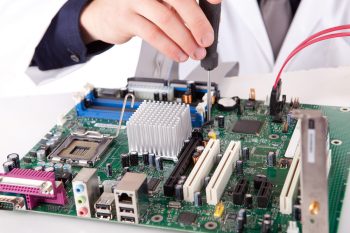
Quis autem repreh enderit in velit esse nihil molestiae vel illum dolorem fugiat voluptas nulla pariatur.
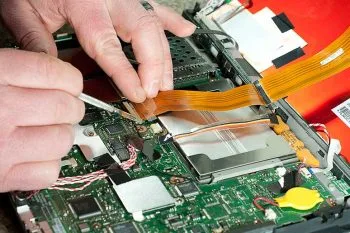
Quis autem repreh enderit in velit esse nihil molestiae vel illum dolorem fugiat voluptas nulla pariatur.
Professional smartphone body repair using modern technologies and high-quality materials.
TDH87JGT7DFG 25% DiscountRestoration of devices after water damage with guaranteed preservation of all functions and data.
TDH87JGT7DFG 25% DiscountRestoration of devices after water damage with guaranteed preservation of all functions and data.
TDH87JGT7DFG 25% Discount
Replacement and restoration of speakers and microphones using original components.
TDH87JGT7DFG 25% DiscountProfessional replacement of broken and damaged screens while preserving all touch functions.
TDH87JGT7DFG 25% DiscountProfessional replacement of broken and damaged screens while preserving all touch functions.
TDH87JGT7DFG 25% DiscountDuis aute dolor repreh enderit velit esse cillum dolor eu fugiat nulla pariatur sint.
01
02
03
Low Pricing & Faster Repair Services
Sed ut unde omnis iste natus sit volur tatem accus antium laudan tium totam rem aperiam eaque ipsa ab illo inventore eceur sante monarsa veritatis et architecto beatae vitae dicta sunt explicabo.


Aabore dolore maga aliquat veniam nostrud exercitation utabore dolore sed ipsum magna aliquau enim
Aabore dolore maga aliquat veniam nostrud exercitation utabore dolore sed ipsum magna aliquau enim
Aabore dolore maga aliquat veniam nostrud exercitation utabore dolore sed ipsum magna aliquau enim
Aabore dolore maga aliquat veniam nostrud exercitation utabore dolore sed ipsum magna aliquau enim
Sed ut unde omnis iste natus sit volur tatem accus laudan totam aperiam ipsa ab illo et architecto beatae vitae dicta sunt explicabo asper sed dolores ratione.
Sed ut unde omnis iste natus sit volur tatem accus laudan totam aperiam ipsa ab illo et architecto beatae vitae dicta sunt explicabo asper sed dolores ratione.
Sed ut unde omnis iste natus sit volur tatem accus laudan totam aperiam ipsa ab illo et architecto beatae vitae dicta sunt explicabo asper sed dolores ratione.
Sed ut unde omnis iste natus sit volur tatem accus laudan totam aperiam ipsa ab illo et architecto beatae vitae dicta sunt explicabo asper sed dolores ratione.
Sed ut unde omnis iste natus sit volur tatem accus laudan totam aperiam ipsa ab illo et architecto beatae vitae dicta sunt explicabo asper sed dolores ratione.
Sed ut unde omnis iste natus sit volur tatem accus laudan totam aperiam ipsa ab illo et architecto beatae vitae dicta sunt explicabo asper sed dolores ratione.
Sed ut unde omnis iste natus sit volur tatem accus antium laudan tium totam rem veritatis beata.
Quis autem repreh enderit in velit esse nihil molestiae vel illum dolorem fugiat voluptas nulla pariatur.
Quis autem repreh enderit in velit esse nihil molestiae vel illum dolorem fugiat voluptas nulla pariatur.
Quis autem repreh enderit in velit esse nihil molestiae vel illum dolorem fugiat voluptas nulla pariatur.
Sample Subtitle
Amnis natus volur tatem accus antium laudan exceurs totam rem aperiam eaque ipsa ab illo inventore veritatis et architecto vitae dicta sunt explicabo.

Apple Specialist
Sed unde omnis iste natus sit volur tatem accus antium laudan tium totam rem aperiam inventore veritati.

Android Specialist
Sed unde omnis iste natus sit volur tatem accus antium laudan tium totam rem aperiam inventore veritati.

Computer Specialist
Sed unde omnis iste natus sit volur tatem accus antium laudan tium totam rem aperiam inventore veritati.
Sample Subtitle
Newyork
Chicago
London
+91 79821 30359
Sed ut unde omnis iste natus sit volur tatem accus antium laudan tium totam rem aperiam eaque ipsa ab illo inventore veritatis et architecto beatae vitae dicta sunt explicabo.
Fill out the form below to submit your repair request